

Room Types & Content Guide
Room Types
Section titled “Room Types”StoryKeep museums are organized into rooms — each room is a distinct experience with its own content type, layout, and interaction model. Rooms appear in the hallway navigation and can be opened, closed, or marked as under construction independently.
The room list is not ours: it is the founding vision. Piet’s first letter framed the museum as “…films, audio stories, photographs, maps, timelines and family trees within a curated narrative structure”, and his February 2026 briefing named the exhibits before a line of production code existed — films, story collections, a slideshow room, a map, a timeline, a family tree. Every room below descends from that list; each room’s page opens with its founding intent, quoted and attributed.
| Room | Status | Description |
|---|---|---|
| Photo Gallery | Shipped | Photographs and photo sets with optional audio narration and video stories. Three browse modes: list, grid, parallax gallery. |
| Cinema Gallery | Shipped | One long-form film treated as an event — Foyer and Screening, one continuous player. |
| Story Collections | Shipped | Short stories in many voices — theme bands, portraits, and a quiet story player. |
| Family Tree | Built · on staging | Interactive genealogy — a home person, search, kin links, and a person’s wall of photographs and films. Live for the Ashworth demo; awaiting its first family. |
| Map | Planned · Oct 1 | Geographic storytelling with location-pinned content |
| Timeline | Planned · Oct 1 | Chronological story navigation |
How a room reaches the museum
Section titled “How a room reaches the museum”The shared model, documented once here; room pages link back rather than repeat it. A room is configuration + content + a sync:
flowchart LR
  A["Families registry\n(StoryKeep config base)"] --> B["Family config base\nCollections + Rooms rows"]
  B --> C["Content base\n(Photos / Films / Stories tables)"]
  C --> D["Drain\n(6h cron · Sync now)"]
  D --> E["Neon served store\n(+ media on Blob / Vimeo)"]
  E --> F["Museum room route\nroom.type → component"]
- The Families registry points each family at its config base and scopes it per environment (stage / prod).
- The family’s config base declares its content sources (
Collectionsrows: type, base ID, status) and its rooms (Roomsrows: slug, type, status, bound collection). A room routes by itsType—photo-gallery,cinema-gallery,story-collections— to the matching museum component. - The content base holds what the room shows; each room type reads specific tables and fields (see each room’s “Setting it up”).
- The drain syncs Airtable into the Neon served store on a schedule — roughly daily for a live museum, faster while a museum is still being curated — with a curator-triggered Sync now for on-demand publishes; visitors are served from Neon, media from Vercel Blob and Vimeo.
Photo Gallery Room
Section titled “Photo Gallery Room”The first and most fully-featured room type. Visitors browse photographs organized as individual photos or curated photo sets, with optional audio narration and video stories attached.
Gallery Views
Section titled “Gallery Views”Three ways to browse the same content:
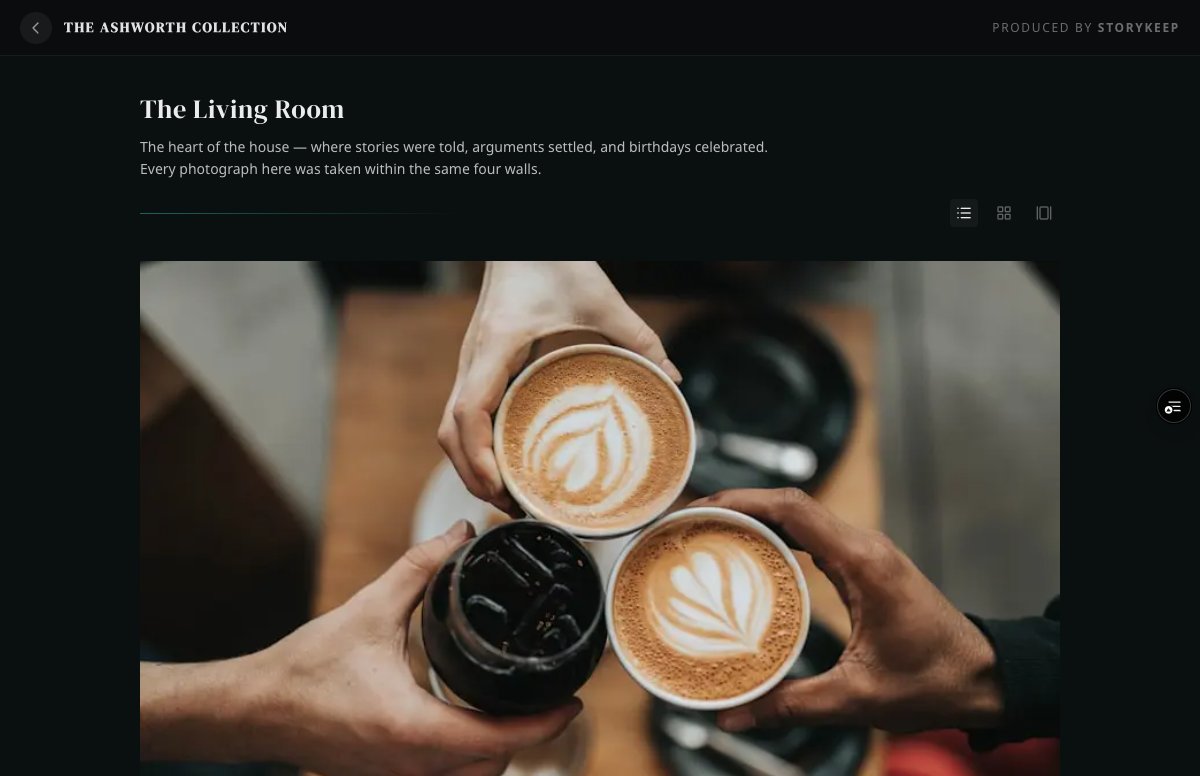
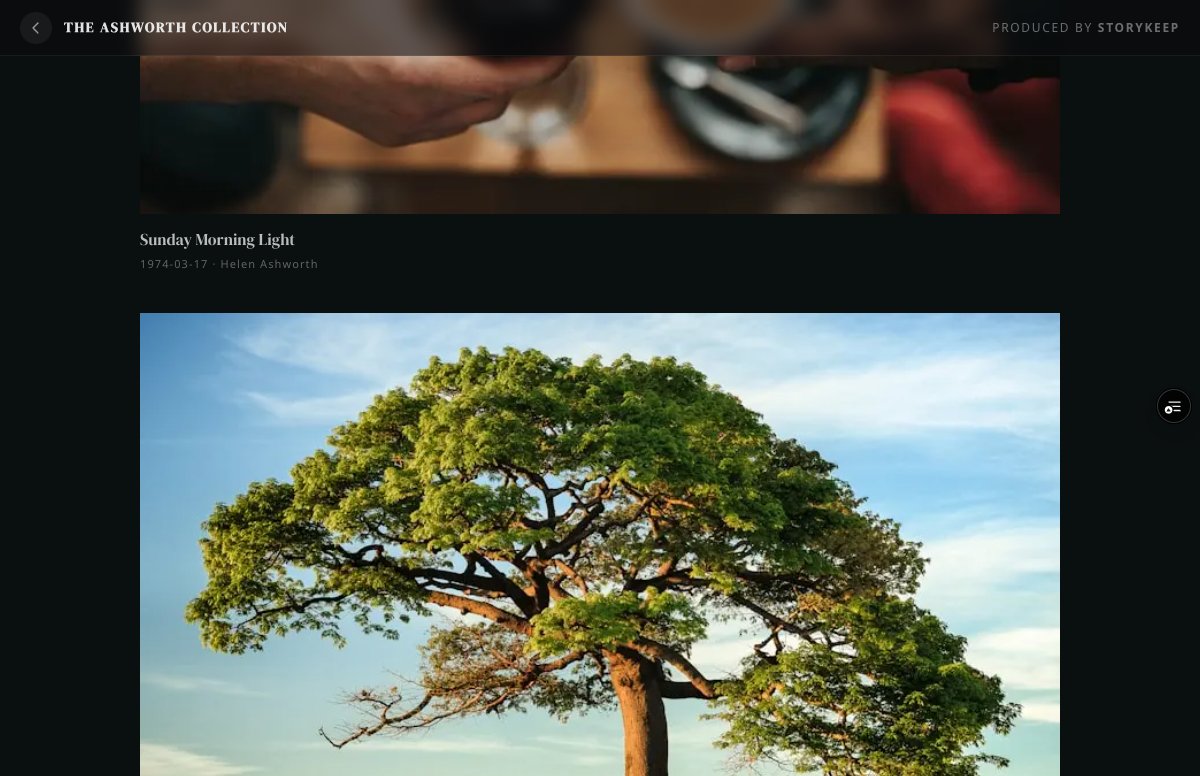
List View (default)
Section titled “List View (default)”A vertical feed showing photos and photo sets with titles, dates, photographer credits, and story previews. Photo sets display a cover thumbnail with a play badge when media is attached.
Grid View
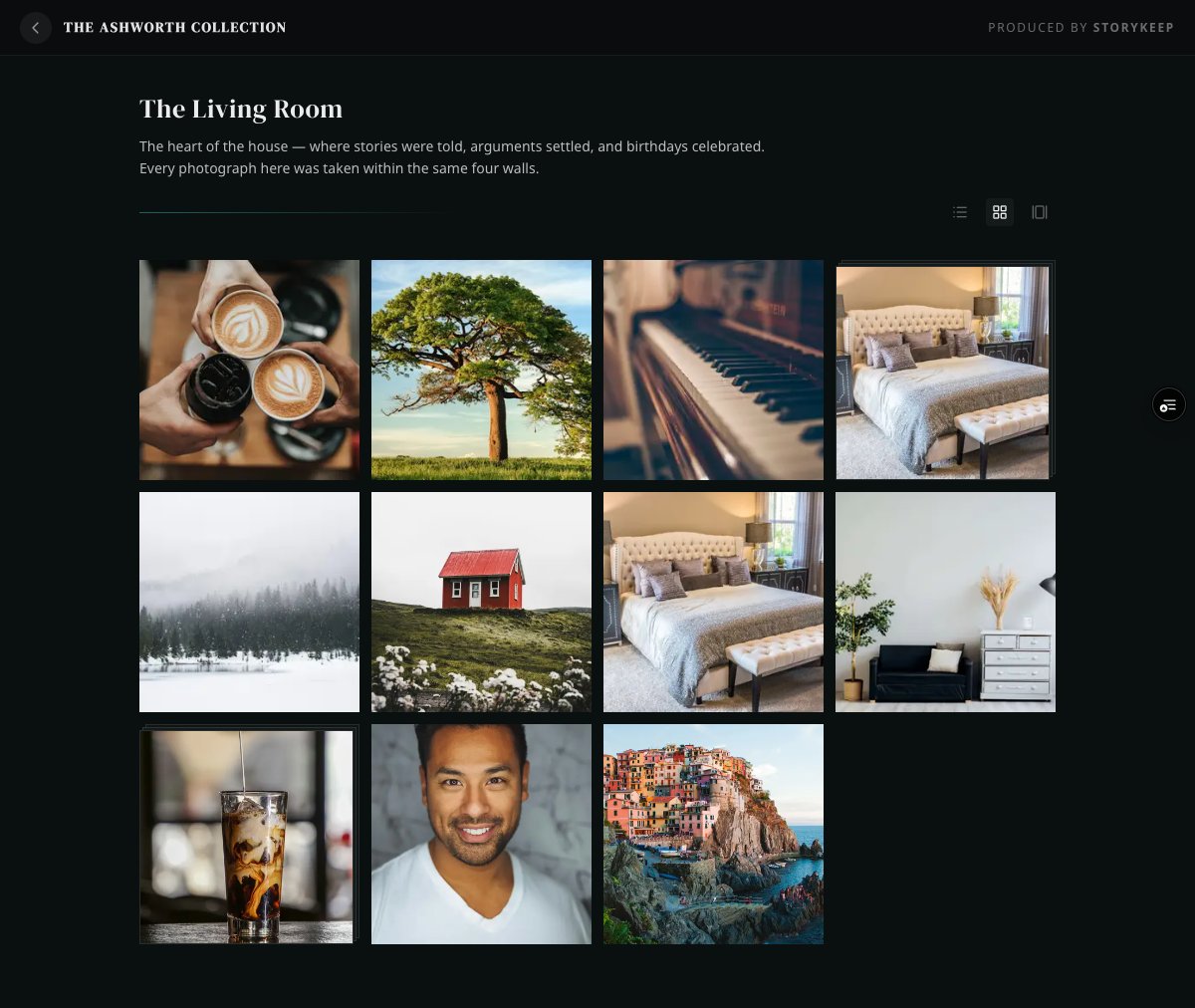
Section titled “Grid View”A compact photo grid for scanning the full collection at a glance. Titles and metadata are hidden — just the images.
Parallax Gallery View
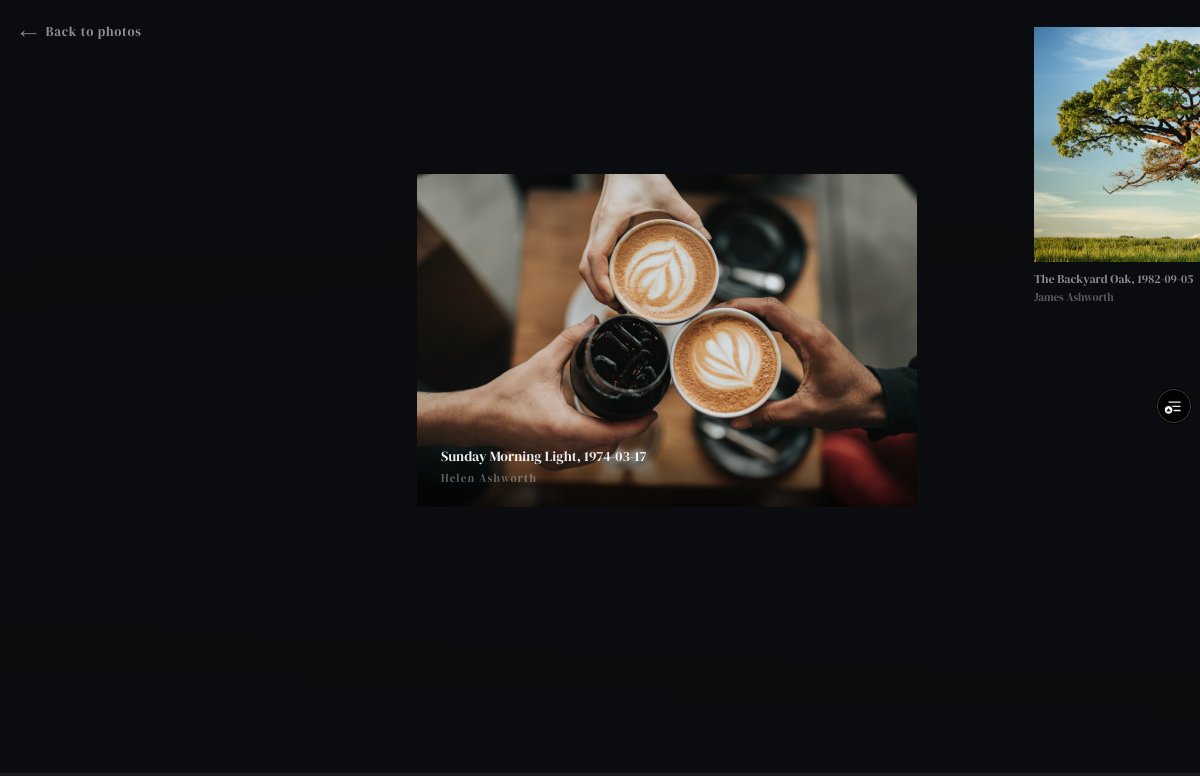
Section titled “Parallax Gallery View”A full-screen spatial experience. Photos float at different depths and sizes, scrolling horizontally with parallax movement. Each photo shows its title, date, and photographer on hover. Click any photo to open it in the lightbox.
Content Types
Section titled “Content Types”Single Photo
Section titled “Single Photo”The simplest content type. One photograph displayed in a centered lightbox with caption, date, and photographer credit.
Ashworth example: “Sunday Morning Light” — Helen Ashworth, 1974
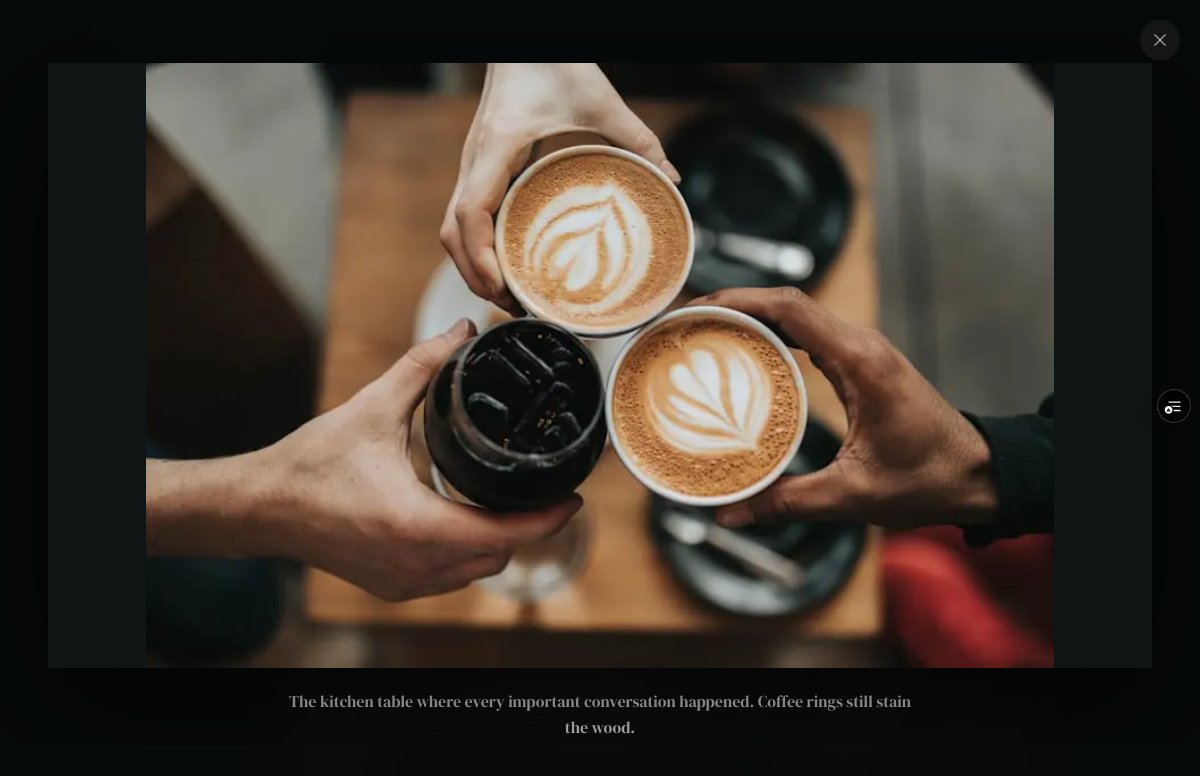
Content: One photo with image, caption, date, and photographer.
Single Photo with Story
Section titled “Single Photo with Story”When a photo has a longer narrative (caption exceeds ~100 characters), the lightbox switches to a split layout: photo on the left, story text on the right. Supports rich text formatting — headings, blockquotes, and bullet points.
Ashworth example: “The Backyard Oak” — James Ashworth, 1982
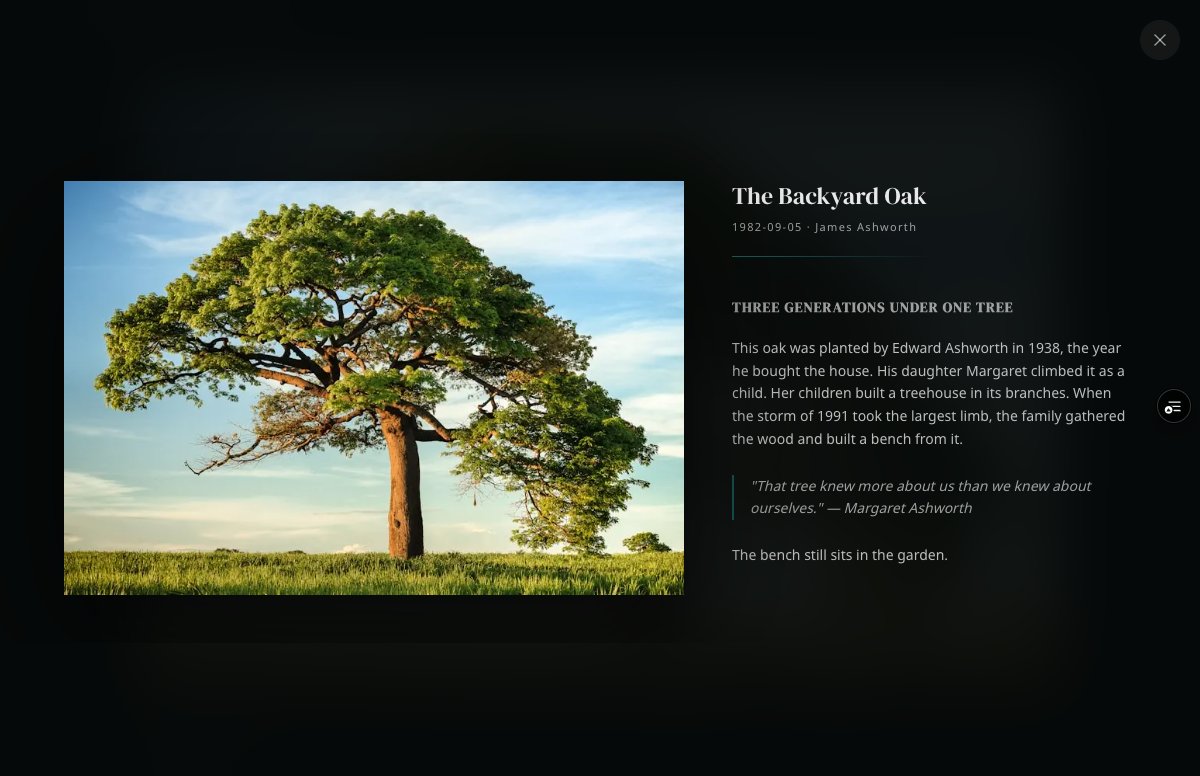
Content: Same as a single photo, but with a multi-line caption using rich-text formatting — headings, blockquotes, and bullet points.
Photo Set with Video Story
Section titled “Photo Set with Video Story”A collection of photographs linked to a Vimeo video with chapter markers. The lightbox shows the split layout: photo left, video player right. When the video plays, chapters automatically crossfade the photo to match.
Ashworth example: “Harbor Memories” — 5 photos, 5:30 Vimeo video, 5 chapters
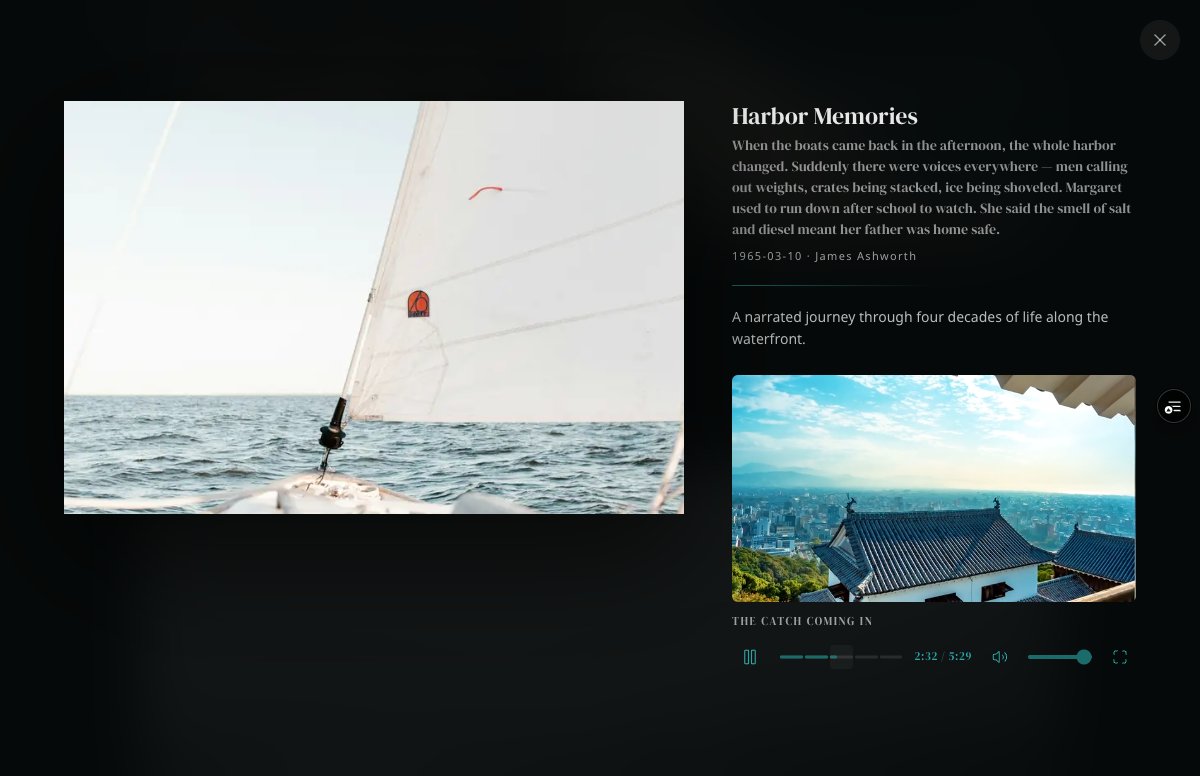
Key features:
- Chromeless Vimeo embed with custom
MediaControls - Clickable chapter segments sized proportionally to duration
- Chapter progress fill animates smoothly
- Photo crossfades on chapter transitions
- Play/pause, time, volume, mute, fullscreen controls
Content: Photo Set + linked Photos (ordered) + a Video Story. Chapters come from the video itself.
Photo Set with Audio Story
Section titled “Photo Set with Audio Story”A collection of photographs with a narrated audio story. The lightbox shows a waveform audio player and auto-generated transcript.
Ashworth example: “The Kitchen Table” — 4 photos, 3:34 audio narration, auto-transcribed text
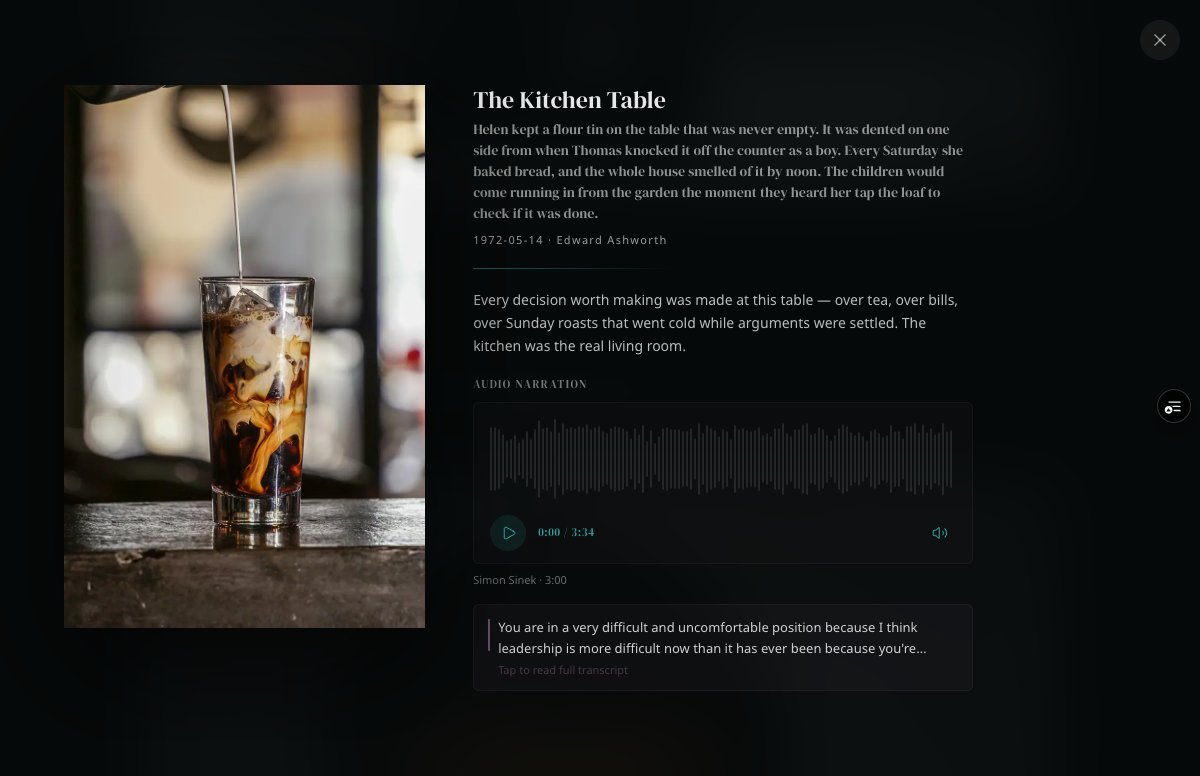
Key features:
- Real waveform visualization via wavesurfer.js
- Click or drag the waveform to seek
- Play/pause, elapsed/total time, mute toggle
- Narrator name and duration
- Collapsible transcript — “Tap to read full transcript” / “Tap to collapse”
- Auto-paragraphed for readability
- Photos manually browsable via lightbox navigation
Content: Photo Set + linked Photos + an Audio Story with:
- Audio File attachment (MP3 preferred)
- Narrator name and duration
- Transcript (auto-generated or manually provided)
Content Types Not Yet Demonstrated
Section titled “Content Types Not Yet Demonstrated”These types are supported by the platform but don’t have demo content in the Ashworth Collection yet:
| Type | Status | Notes |
|---|---|---|
| Plain photo set (no media) | Supported | Opens as a slideshow carousel with prev/next arrows and dot indicators |
| Single photo + audio | Supported | Renders waveform player inline below the photo in the lightbox |
| Single photo + video | Supported | Renders Vimeo embed in the split layout for a single photo |
Audio Format Requirements
Section titled “Audio Format Requirements”| Attribute | Requirement |
|---|---|
| Preferred format | MP3 |
| Also supported | WAV, M4A, WebM |
| Recommended bitrate | 128 kbps (sufficient for voice narration) |
Source: All screenshots from The Ashworth Collection — the public demo museum.