

The Photo Gallery
…films, audio stories, photographs, maps, timelines and family trees within a curated narrative structure.
The Photo Gallery descends from the “slideshow room” in Piet’s founding list. Even in the prototype, every slide had a title: the photograph was treated as a named object with a caption and a credit, never a cell in a chronological grid. That instinct still governs the room — photos belong to stories, stories to rooms, and nothing here scrolls like a camera roll.
To be confirmed with Piet (Friday read-back): the photo room’s founding intent is the thinnest on record — the prototype was a technical slideshow — so this room benefits most from his own words.
How it’s built
Section titled “How it’s built”The room is GalleryView with three browse modes, a lightbox that carries
the content types, and the museum-mode wall-plaque. The full content-type
catalogue — single photos, photos with stories, photo sets with video or
audio — lives on Room Types & Content
with screenshots; this page doesn’t repeat it.
- Three views, one collection — list (the default; titles, dates, credits), grid (images only, for scanning), and the parallax gallery view (full-screen, free-scroll, museum-scaled). The view toggle is the room’s one control.
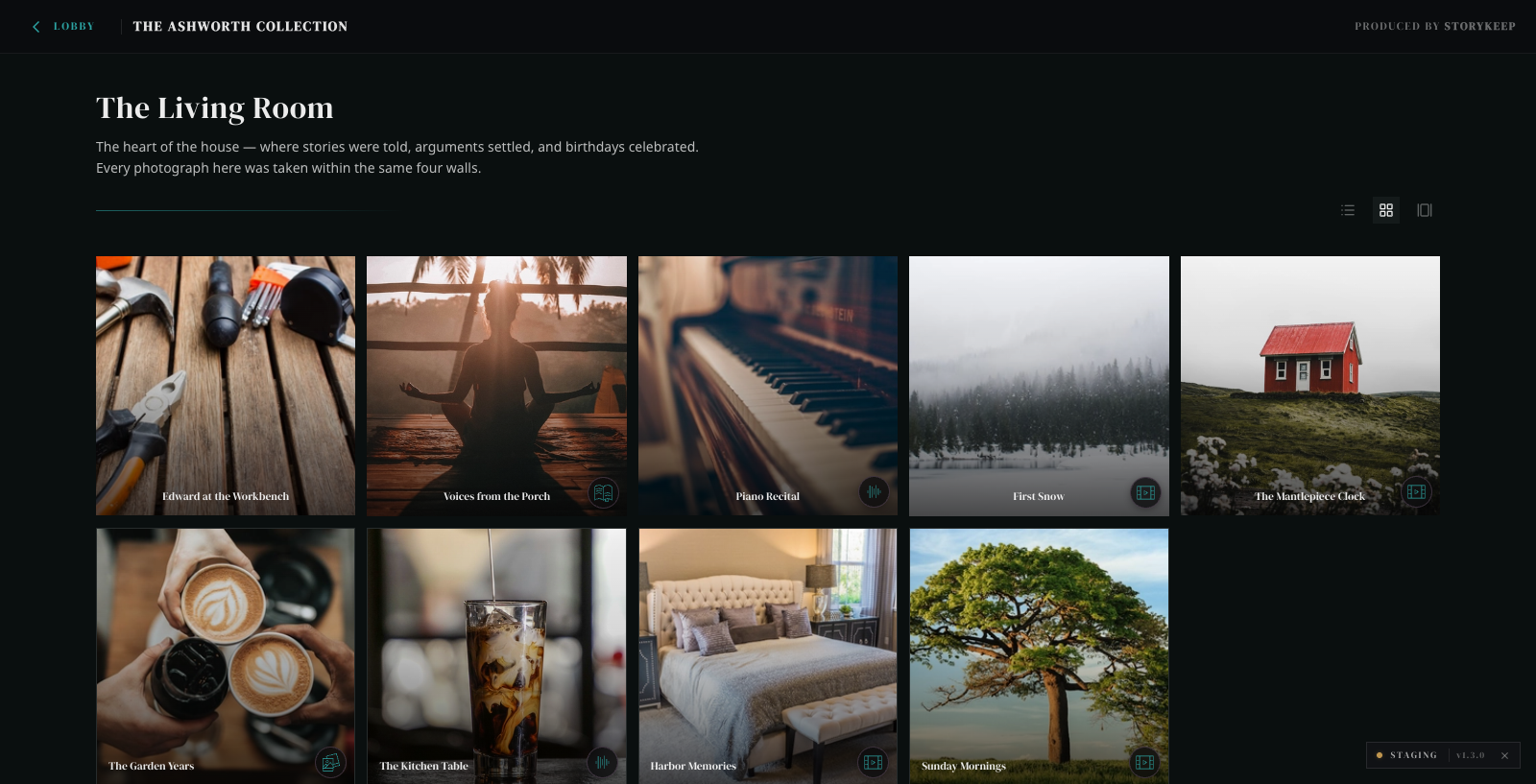 The Living Room, grid view — audio, story, and film badges on the tiles. Staging capture · The Ashworth Collection · 2026-07-03.
- The lightbox — every photo and set opens in it: split layout when a story rides along, chapter-synced Vimeo when a film does, a waveform player and transcript when a voice does. Keyboard, focus-trap, and reduced-motion behaviour are shared platform contracts.
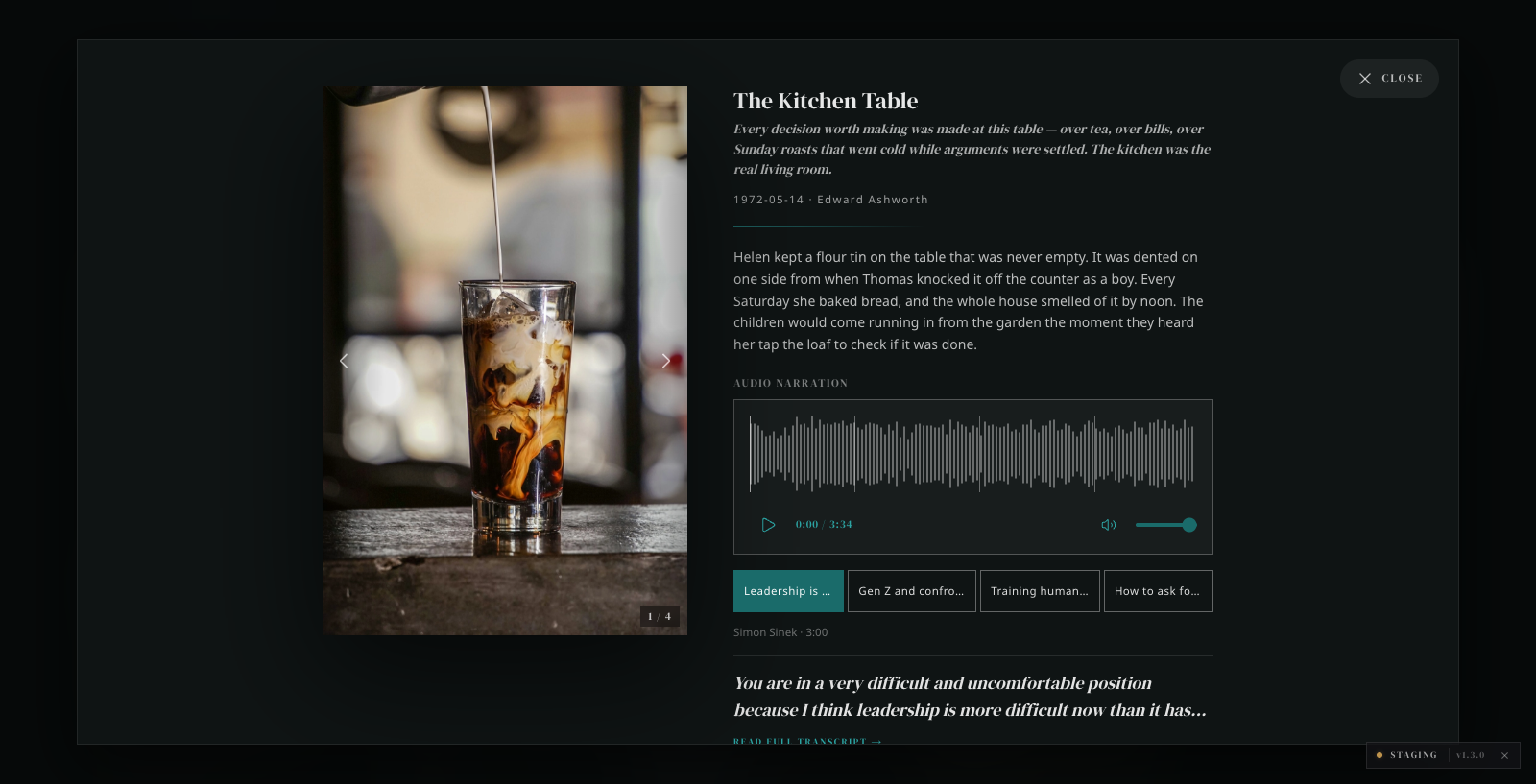 “The Kitchen Table” — a photo set with audio narration: waveform, chapters, and the transcript behind one tap. Staging capture · The Ashworth Collection · 2026-07-03.
- The wall-plaque — at museum scale each exhibited photo gets its serif title, whispered-caps metadata, and the human-written curator note (never auto-generated; absent means absent).
- Visitor submissions — the room accepts uploads from family visitors;
submissions land in moderation (
pending) and the curator’s decision controls what ever reaches the wall. Approval triggers a thank-you mail to the submitter via the sync pipeline.
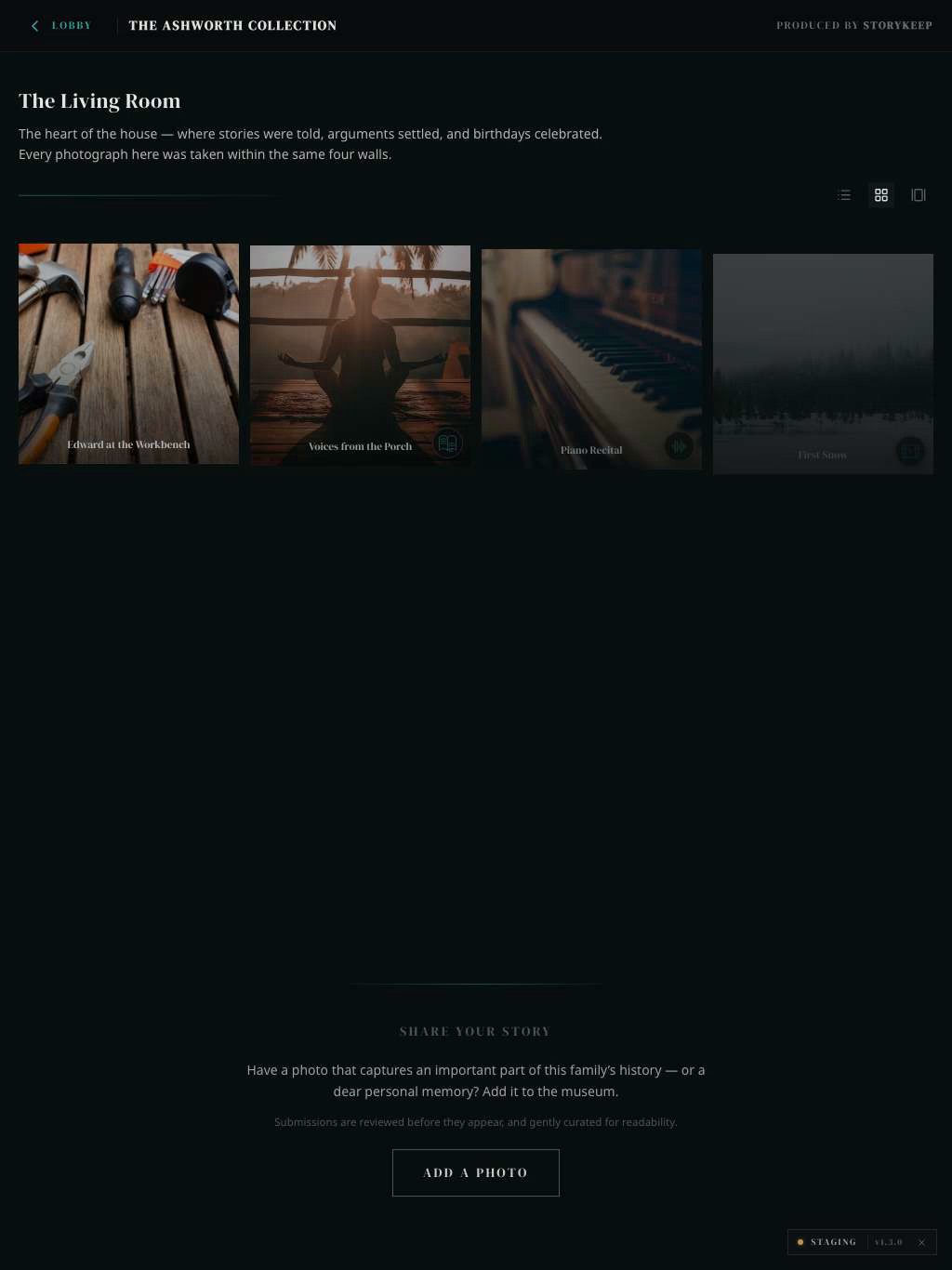 The primary device is an iPad on a side table — the room at tablet width, with the Share Your Story block that feeds moderation. Staging capture · The Ashworth Collection · 2026-07-03.
Setting it up
Section titled “Setting it up”How a Photo Gallery reaches a family’s museum. The shared chain is documented once on Room Types & Content; these are the photo-specific steps.
-
Declare the content source. In the family’s config base, add a
Collectionsrow: name, slug,Collection Type: photo-gallery, the content base’s ID inBase ID,Status: active. -
Declare the room — once, in the config base. Add a
Roomsrow (name, slug,Type: photo-gallery, theCollectionlink to the row above, and aStatus). One room binds one base, so every photo in that base belongs to this room; there is nothing to declare on the content side. -
Fill
PhotosandPhoto Setsin the content base. Photos optionally link to sets; sets order their photos and may carry a video or audio story. A photo shows in one set only: if it is linked to two sets, it appears in the first one and the second set goes without it. To show a photo on its own instead, give it its ownCurationrow. -
Sync. Scheduled drain or Sync now. Photo originals are copied to durable Blob storage and stamped back (
Blob Image URL); audio stories are transcribed and their files moved to Blob as part of the same run. -
Verify. On staging as an anonymous visitor: all three views render, a photo opens in the lightbox with its metadata, a set plays its media, and
pending/rejectedsubmissions are absent.
Fields the room reads
Section titled “Fields the room reads”Photos table (content base) — the richest table on the platform:
| Field | Type | Required | Consumed by |
|---|---|---|---|
Image |
attachment | yes | the photograph (live path; the served path uses the Blob copy) |
Blob Image URL |
url | stamped by sync | the served image — never hand-edit |
Caption |
long text | recommended | title + story (rich text beyond ~100 chars becomes the split layout) |
Photographer |
text | recommended | the credit on plaque + lightbox |
Moderation Status |
select | yes | only approved serves; submissions arrive pending |
Source |
select | yes for uploads | visitor-submission drives the approval-mail flow |
Submitted By / Submitted Email |
text | uploads only | credit + the thank-you mail |
Approval Notified |
checkbox | sync-managed | prevents duplicate approval mails |
People |
link → People | optional | speaker/subject facts, cross-room entities |
Photo Sets: title, ordered Photos links, status, and optionally a video
story (Vimeo + chapter sync) or audio story. Audio Stories: Audio File
(MP3 preferred), narrator, Transcript (curator-written wins over
auto-transcription), plus sync-managed fields (Transcription Status,
Blob Audio URL, Blob Transcript URL, Processing Log) — never hand-edit
the managed ones.