

The Cinema Gallery
A place to slow down.
The Cinema Gallery was a screening room before it had a name: Piet’s pre-engagement prototype opened with the line above, offered a courteous end (“you may return to the gallery, replay the film, or continue through the exhibition”), and treated the family’s film as the whole point of the room, never one tile in a browse wall. That founding instinct became the platform’s slow-by-design doctrine.
The evolved intent, settled with Piet on 3 June 2026, is “one concept, two beats”: a Foyer that treats the one film as an event, and a Screening that dims the room into the theater. The design driver is scarcity — most families have a single high-production film — so the room must feel complete with one work. What the room deliberately is not: a video library, a Netflix row, an autoplay machine.
To be confirmed with Piet (Friday read-back): whether the founding phrasing still leads, and what has evolved since June.
How it’s built
Section titled “How it’s built”The room owns the choreography; a shared player owns playback. The moments below are the room’s anatomy — see the Paper “What We Deliver” board for the visual reference, and the staging captures throughout this section.
One room, two beats — the morph contract
Section titled “One room, two beats — the morph contract”The room renders a single view whose mode (foyer or theater) drives a smooth layout morph. Begin Screening and Read the story only switch the mode; the player is mounted once inside the morphing “stage” and is never re-parented, so the frame grows or shrinks while playback continues — audio unbroken, playhead untouched.
- Begin Screening — the foyer morphs to the theater (~700ms Sugahara ease, no bounce): the player fills the glass, the room dims, the telling recedes.
- Read the story — eases back to the Foyer with the film still playing beside the telling. It is a path, not a mid-film toggle between two players.
prefers-reduced-motion— an instant cut both directions; the playback-continuity guarantees still hold.- History & Escape — browser-back or Escape from the theater returns to the Foyer; back from the Foyer exits to the lobby; the courteous end leaves no entry. (We no longer use OS fullscreen, so Escape is free to mean “back to the foyer”.)
The change is a moment, not a resize. A brief “lights down” dip — a
fade through the family’s --sk-cinema-stage near-black, ~1.7s going into
the theater with a held peak, ~1.2s coming back — frames the change as a
deliberate beat rather than a quiet re-layout. The film keeps playing behind
it (no pause); the foyer chrome recedes beneath the dim. Reduced motion
collapses the dip to an instant cut.
The Foyer
Section titled “The Foyer”A poster still over the paused player, a serif plaque, the contents, and a quiet shelf of the rest — composed to hold with exactly one film.
-
Poster — the curator-selected
Poster Still(kept in colour — posters are chosen for a reason), falling back to the film’s Vimeo thumbnail. It stands clean (no caption placard); clicking it is a second path to play, with a quiet play glyph on hover. -
The plaque — a
<gallery> presentseyebrow, the film title in large serif, aruntime · N chaptersline, the curatorial note as a teal-ruled blockquote, and the single filled Begin Screening affordance — the one visible CTA (the poster does not repeat the label). -
Contents — hidden by default behind a ghost Contents toggle beside Begin Screening; opening it reveals the chapter-still grid (see below) and slowly scrolls to it.
-
Also in this gallery — every other film as a subordinate row card. Selecting one features it in the Foyer (it becomes the hero, the view scrolls up); it does not jump to the theater or autoplay — a second action (Begin Screening) plays it. The shelf is absent with a single film.
Which film keeps the Foyer is the curator’s
Primarycheckbox. Before cdi-1375 the same checkbox wasArchivaland marked what was excluded; it now marks what is featured, so nothing marked means the first film bySort Orderstands in. The from the archive tag that used to sit here is gone with the old flag — its condition (“the shelf is all-archival”) became merely “the curator marked nothing”, which is the default state.
The iris/teal accent stays scarce (One Light Rule) — the eyebrow, the note rule, the primary button. Labels are whispered caps (Raleway); the per-family serif is earned only by the plaque title and curator note.
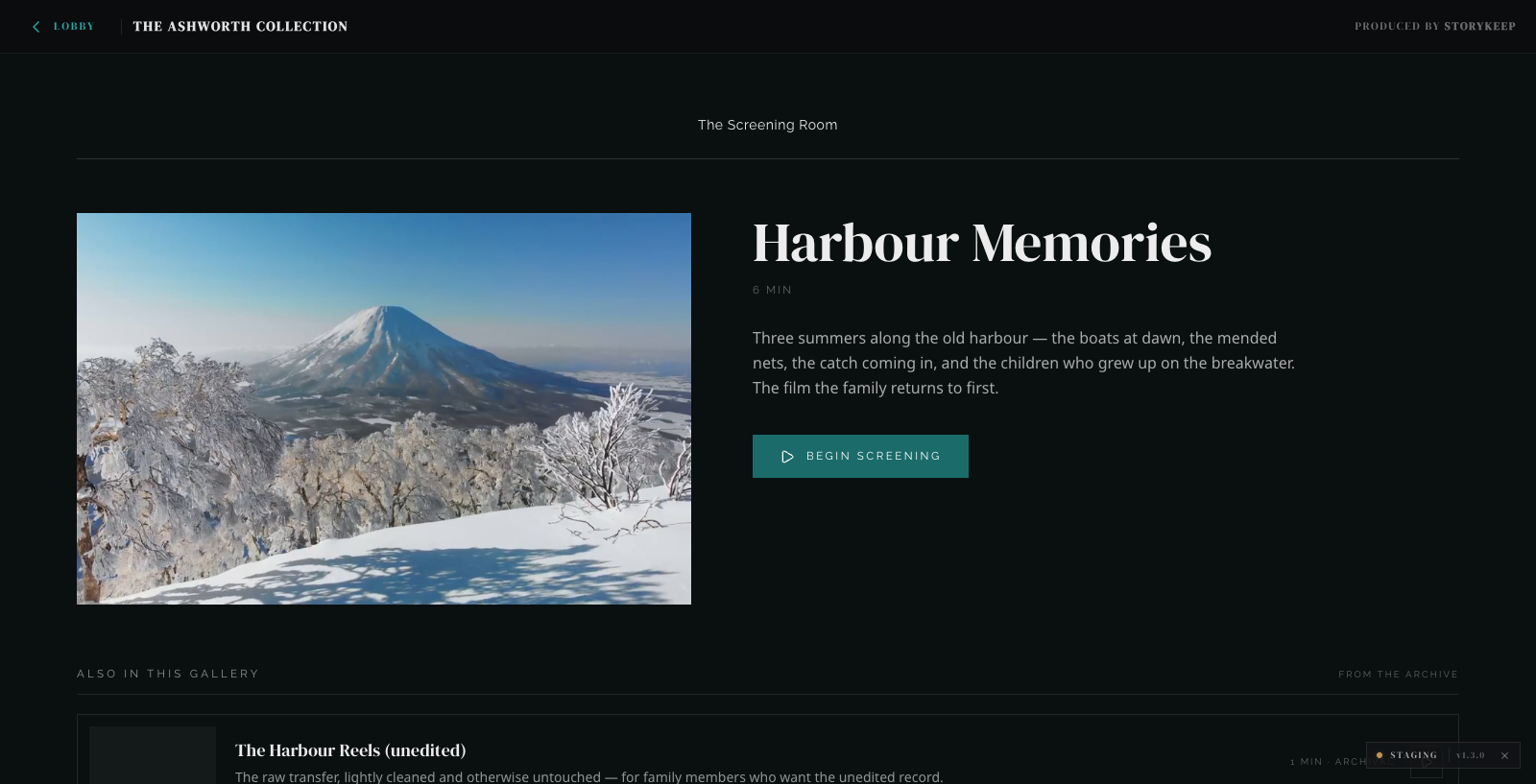 The Foyer at rest — the film as an event, one CTA, the shelf below. Staging capture · The Ashworth Collection · 2026-07-03.
Chapter stills — and how films differ
Section titled “Chapter stills — and how films differ”Chapters belong to the film (a title and a timecode per chapter); the museum reads them at render time, and each chapter can carry a still. The Foyer renders accordingly:
| The film’s chapters carry… | The Foyer shows |
|---|---|
| chapter stills | the rich contents grid — a still, roman numeral, serif title, and timestamp per chapter; selecting one begins the screening at that mark |
| chapters but no stills | a plain contents list — titles + timestamps, no stills |
| no chapters (a raw reel) | no contents block at all |
This is deliberate, and it is visible in the demo: the main film is chaptered with stills set, so it shows the grid; the supporting reel is raw — no chapters, no stills — so it shows none. Same room, two honest states.
Subtitles follow the same source-of-truth rule as the rest of the room: the captions come from the video’s own text track, rendered in the family’s brand colours, with a CC toggle that appears only when a track exists.
The Screening (theater)
Section titled “The Screening (theater)”The theater is full-bleed and quiet — the film runs edge-to-edge across the viewport (capped by height so 16:9 never overflows a tall or ultrawide screen); the dark around it is the dimmed room, not a margin.
- A vertical scrim (top+bottom, composed from
--sk-cinema-scrim-rgb) darkens the edges so the chrome reads while the centre of the frame stays clear. It sits below the caption layer, so subtitles are never dimmed. - Chapter context sits top-left — the film title and the current chapter
(
I · The old harbour at dawn), tracked as playback crosses chapter marks. - Read the story → is the single boxed affordance, top-right — the one way back (with Escape). There is no fullscreen button: Begin Screening is already the “watch big” affordance, and a second control read as a confusing near-duplicate.
- A brand-teal scrubber carries chapter ticks; subtitles render centred in brand colour; the CC toggle drops to the bottom-right in the theater (the top corners belong to the room chrome).
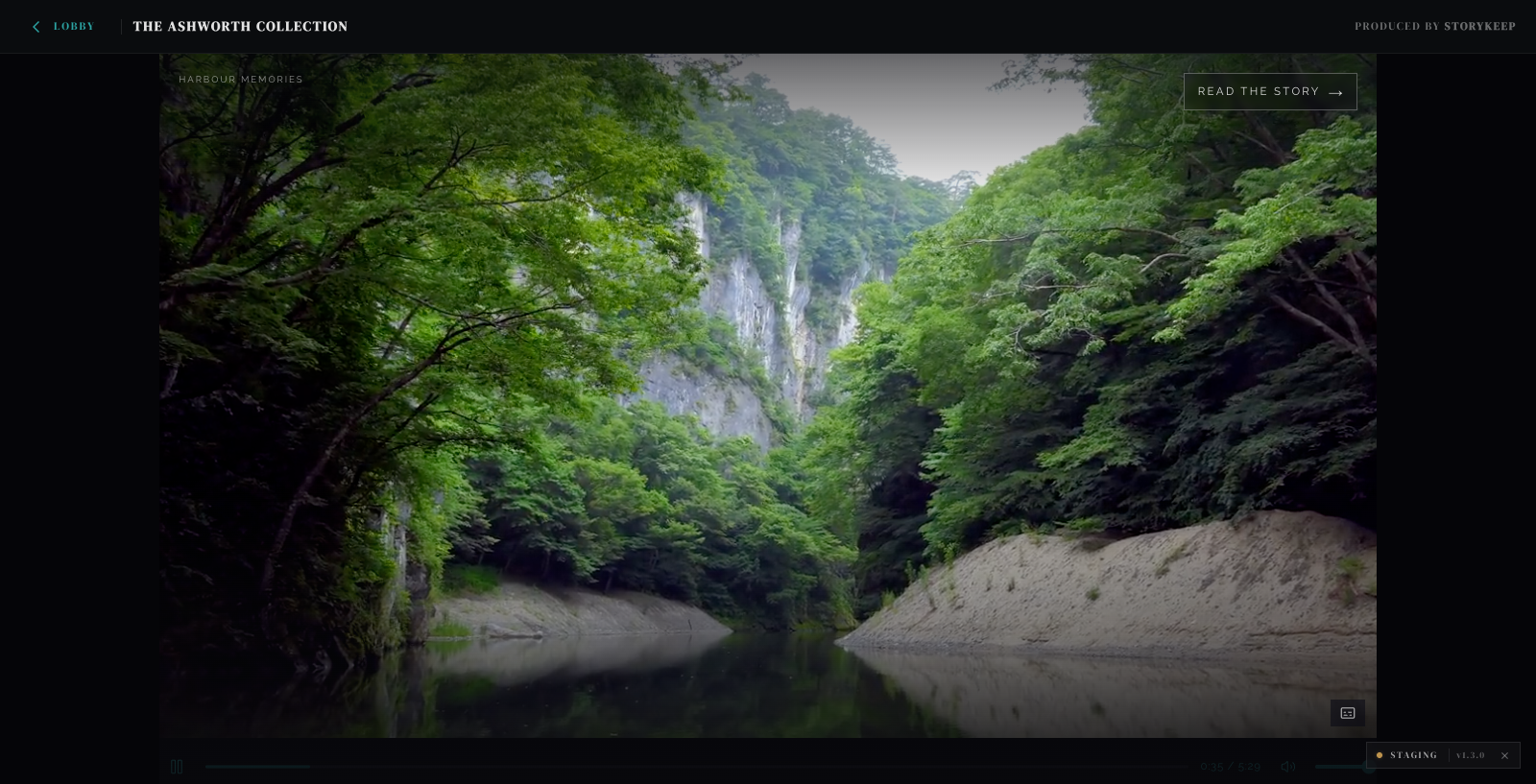 The Screening, mid-film — full-bleed frame, the chapter whisper top-left, Read the story as the one way back. Staging capture · The Ashworth Collection · 2026-07-03.
Visibility — a room can be present but unreleased
Section titled “Visibility — a room can be present but unreleased”A room can be visible to everyone, shown as an opt-in “coming soon” tile, or held back entirely until it is ready — independently of whether its content collection is live. An unreleased room fails closed: it never appears to a visitor until it is deliberately opened. Its sibling room, Story Collections, follows the same rules.
Setting it up
Section titled “Setting it up”How a Cinema Gallery reaches a family’s museum. The shared chain (registry → config → content → drain → served) is documented once on Room Types & Content; these are the cinema-specific steps.
-
Declare the content source. In the family’s config base, add a
Collectionsrow: a name, a slug,Collection Type: cinema-gallery, the content base’s ID inBase ID, andStatus: active(usedraftto keep it dark while you fill it). -
Declare the room. Add a
Roomsrow: name, slug,Type: cinema-gallery, theCollectionlink to the row above, and aStatus(open,under construction, orhidden). The slug becomes the room’s URL. -
Fill the
Filmstable in the content base — one row per film (most families have exactly one; the room is composed for that). -
Sync. Wait for the scheduled drain or press Sync now in the museum top bar (curator/admin). Films drain with their Airtable fields; expiring poster stills are copied to durable Blob storage automatically.
-
Verify. Open the room on staging as an anonymous visitor: the Foyer renders, Begin Screening enters the theater with the film playing, and the Contents block matches the chapter state you set (grid / list / absent).
Fields the room reads
Section titled “Fields the room reads”Films table (content base):
| Field | Type | Required | Consumed by |
|---|---|---|---|
Title |
text | yes | plaque title, theater chapter context |
Vimeo ID |
text | yes | the player. Digits only, and the sole required Vimeo input |
Vimeo URL |
url | no | fallback source for the unlisted hash only (see Story Collections). The film must still be embeddable — unlisted or anybody, never nobody |
Poster Still |
attachment | recommended | the Foyer poster (falls back to the Vimeo thumbnail) |
Chapter Timestamps |
long text | optional | chapter list/grid + theater ticks (title + timecode per line; overrides Vimeo chapters) |
Sort |
number | optional | featured film + shelf order |
Chapter stills ride the film’s Vimeo chapters where available; the
Chapter Timestamps override exists for films whose Vimeo privacy blocks the
metadata API. A film with no chapters is a raw reel — the room shows no
Contents block, honestly.