

Family Tree
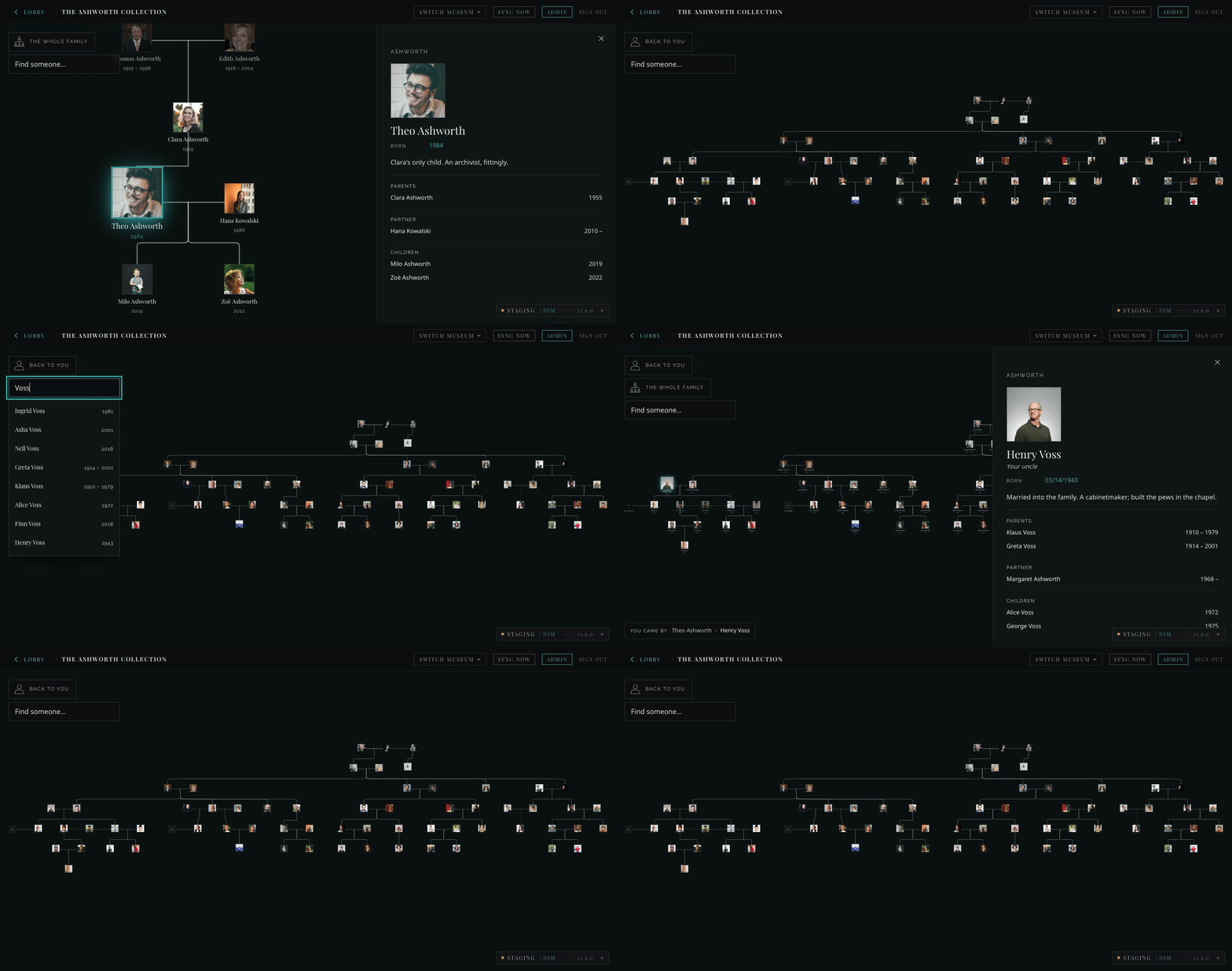
It renders all nodes extracted from the family's own PDF — pan, zoom, and reset.
The Family Tree was in Piet’s founding list from the first letter — “films, audio stories, photographs, maps, timelines and family trees within a curated narrative structure.” His prototype rendered a real family’s tree straight from the PDF they already had, preserving its layout: the room’s founding instinct is assembled from what the family already has, not re-entered into a genealogy tool.
The room exists so a family can arrive at and share their stories. The tree is the map; a story is the destination. It is deliberately not Ancestry: no research tools, no sources, no hints, no records grid.
What a visitor does
Section titled “What a visitor does”The tree opens on you. A visitor whose sign-in email a curator has put on
a person (loginEmail) lands on that person: their branch pruned into view,
their wall label already open. A visitor who is not in the tree — a friend, an
advisor, a curator — lands on the person the family chose as the starting
point (startHere); if nobody is ticked, on the person with the most
descendants — it needs no dates and gives the same answer every time. Nobody
arrives at a wall of strangers.
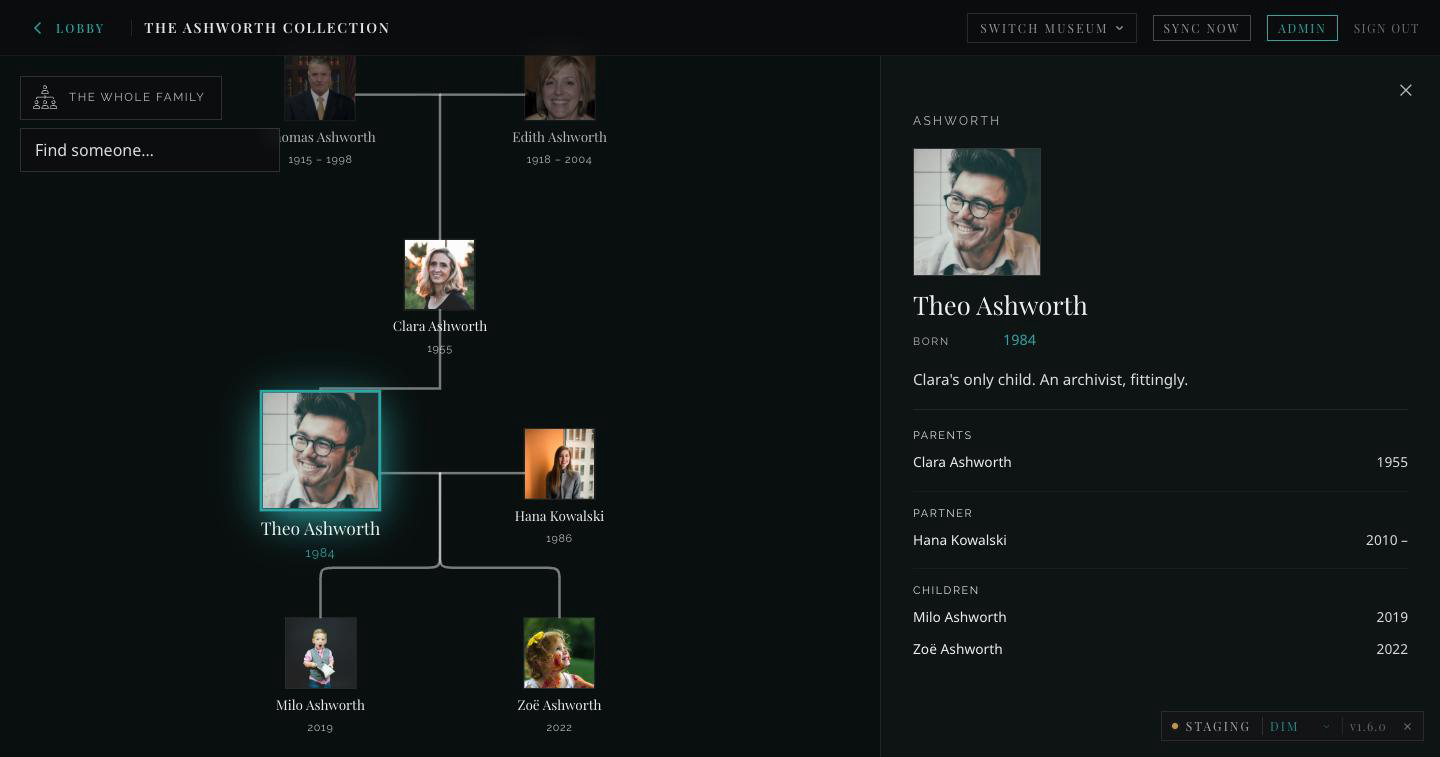
The wall label is the destination: name, lifespan, a few sentences, then parents, each partnership and the children on their own lines with their years. On the chart a dashed line marks a partnership that ended; a solid line one that did not.
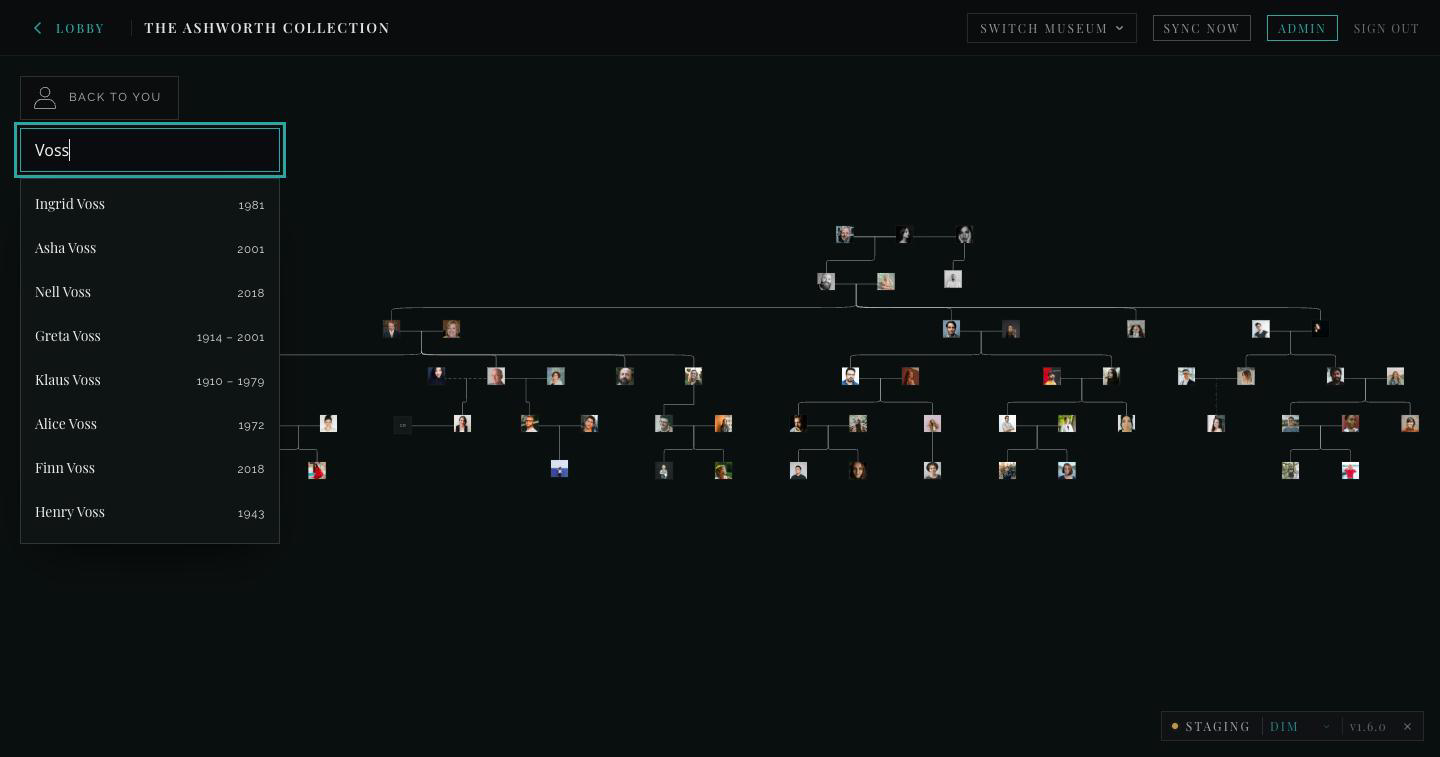
Three ways to move from there. Find someone searches by the name on the tree, the name they were born with, or the name the family called them, and shows lifespans in the list so two people with the same name are told apart:
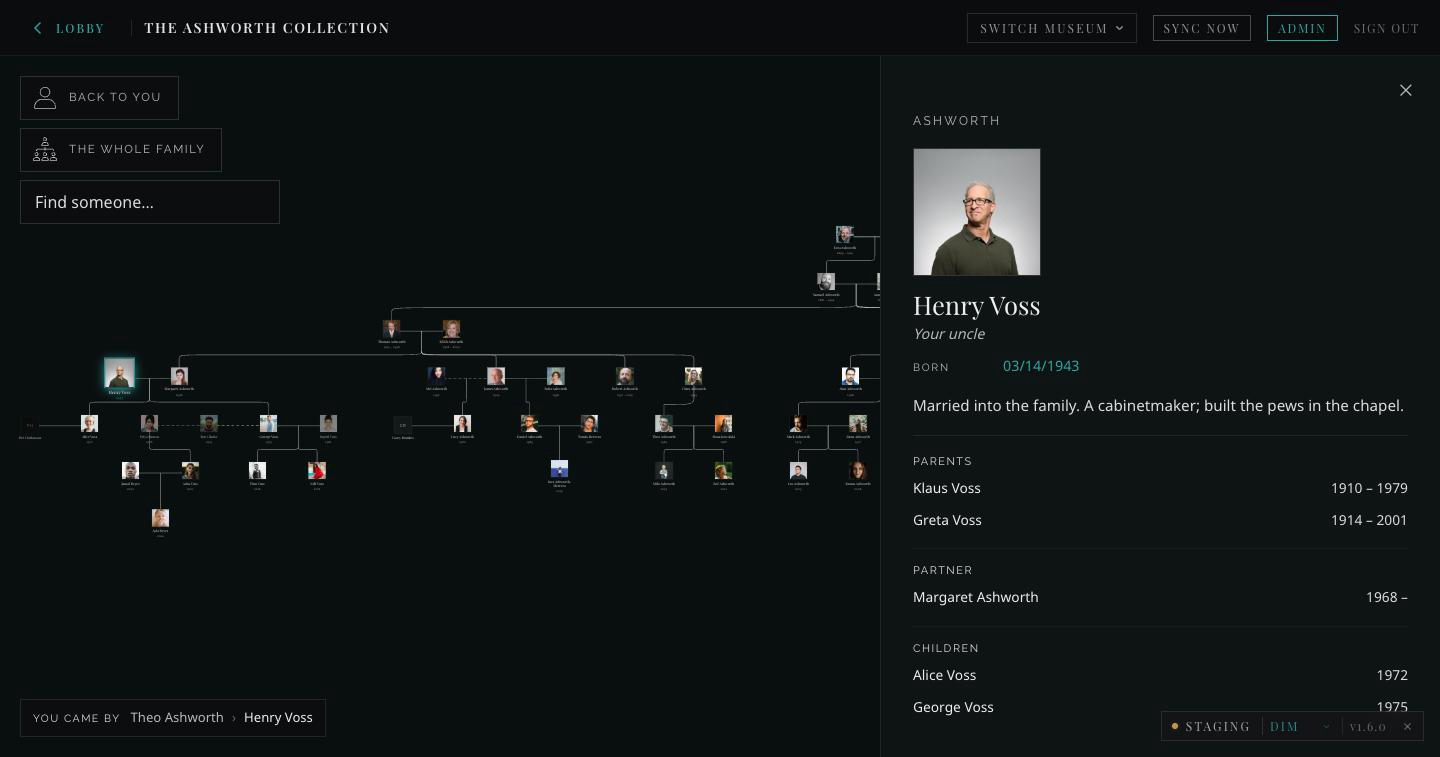
Arriving from search, the wall label also says how this person is related to you — “Your uncle” — and the you came by trail along the bottom keeps the way back:
The whole family steps out to everyone, fitted to the stage and deliberately not legible — impressive rather than readable, so gaps in a family’s knowledge never read as broken. From here a tap on anyone glides the camera to them:
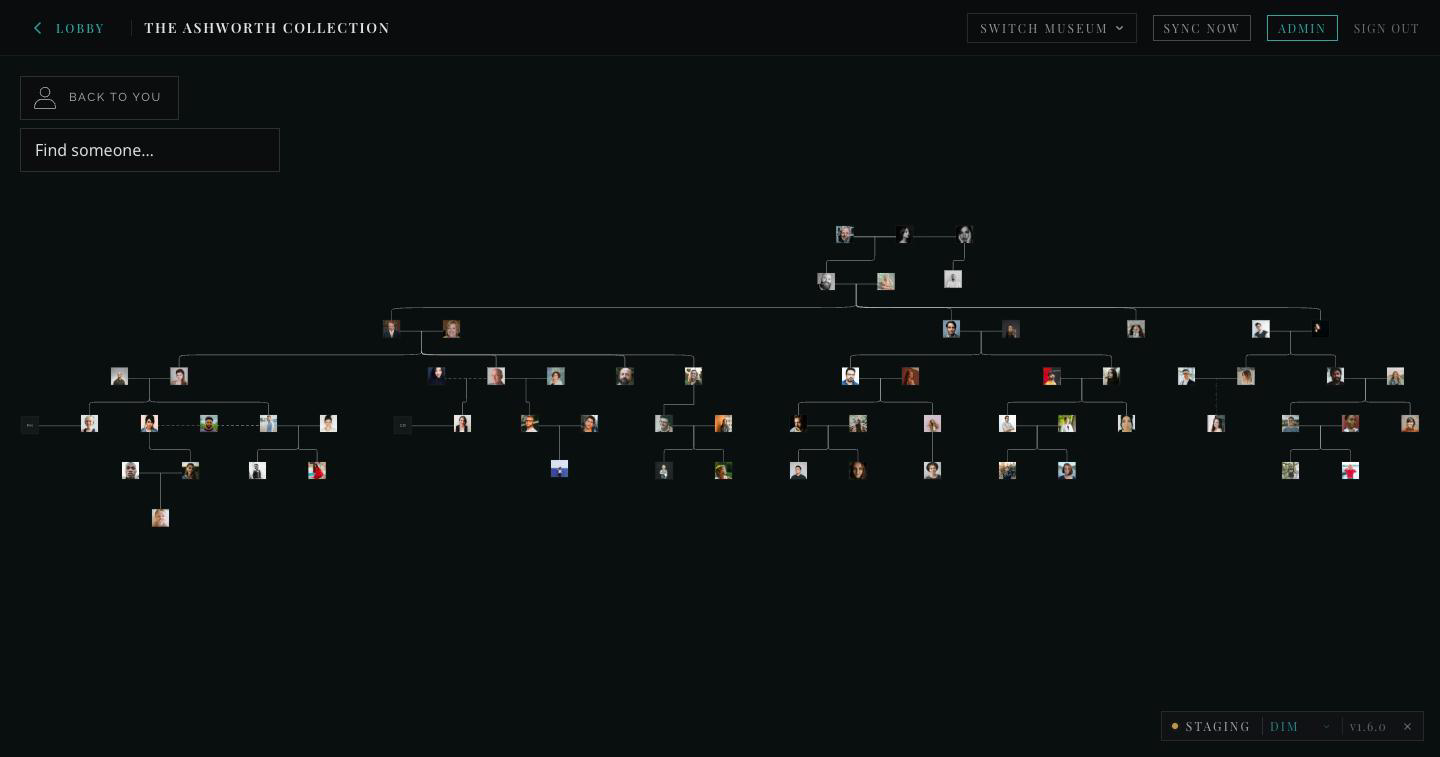
And Back to you — plus the you came by trail along the bottom — returns a visitor to where they started, however far they have wandered.
Two smaller things. Share a person: the address bar always points at
whoever is on screen (?person=…), so a link opens the room on them. And
the room works without a pointer: arrow keys move through the family by
relationship (up to a parent, down to a child, left and right along partners
and siblings), Enter opens the wall label, and Escape steps out one level at
a time — person, then home, then the whole family.
What a person carries
Section titled “What a person carries”The tree is the map; what a person carries is the destination. Below the people on a wall label come the photographs and films that person appears in, each section with its count.
- A photograph opens the Photo Exhibit lightbox on that photograph, and the person’s other photographs are one arrow key away inside it. It is the same lightbox as the gallery, not a third viewer.
- Films are stills for now — title, duration, a play mark — and not yet buttons. Playback arrives with the data model.
- One record can hang on several walls. A wedding photograph is attached to both partners and appears on each of their walls from a single entry. Attachments are keyed by record, never by name: two relatives sharing a name is the normal case in a family record.
- Most people carry nothing, and their wall label simply has no such section.
Today this runs on a hand-keyed fixture for the Ashworth demo (Alice Voss carries six photographs and the family’s two films). The curator-side model is CDI-1694.
How a curator builds it
Section titled “How a curator builds it”One room, one base — Ashworth — Family Tree for the demo. Three tables, in
the same shape as the Photo Exhibit: make the people first, relate them
afterwards, exactly as photos are related to sets through Curation.
People
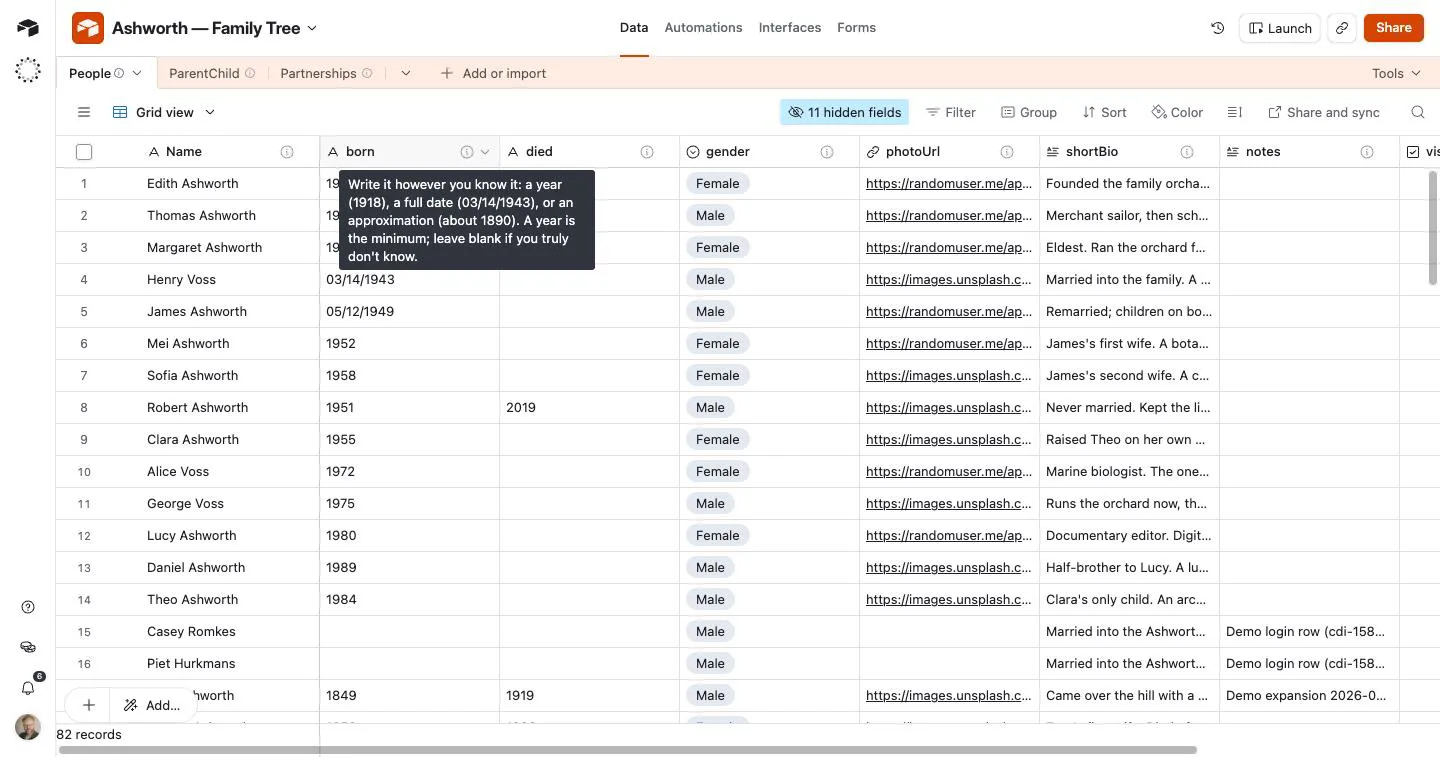
Section titled “People”One row per person. The primary field is the person’s Name, because that is what you pick from when setting a parent or partner. Every column carries its own description inside Airtable — hover the ⓘ next to the column name:
| Field | Notes |
|---|---|
| Name | Primary. What appears under the portrait, and in every picker. |
| preferredName | Optional. What the family actually called them — “Ken”, “Oma”. When set, the plate and every chip say it; the wall label leads with Name and adds “Known as”. |
| birthName | Optional. The name they were born with, when it differs — a maiden name. The wall label shows “Born as”, and a visitor can search by it. |
| born / died | Free text on purpose: 1918, 03/14/1943, or about 1890. Airtable has no partial-date type and family records are full of approximations. Shown exactly as written. |
| birthPlace / deathPlace | Optional. Where. The wall label reads 03/14/1943 · Kyoto; either half alone still shows. |
| gender | Descriptive and extendable — add a choice if none fit. Never displayed; see below. |
| photoUrl | Blank gives a dignified initials plate, never a blank square. |
| shortBio | The wall label’s few sentences. |
| notes | Curator-private. Never shown in the museum. |
| visible | Unchecked = this person does not appear at all. |
| generation | Optional. The generation as the family names it — “Issei”, “Nisei”, “Sansei”, or anything else. Shown exactly as typed on the plate and the wall label; blank shows nothing. |
| loginEmail | A visitor signed in with this email opens the tree on this person. Matched on the server, case-insensitively; never shown in the museum. |
| startHere | Tick one person: where the tree opens for a visitor who is not in it (a friend, an advisor, a curator). Two ticks resolve to the lower record id. |
ParentChild and Partnerships
Section titled “ParentChild and Partnerships”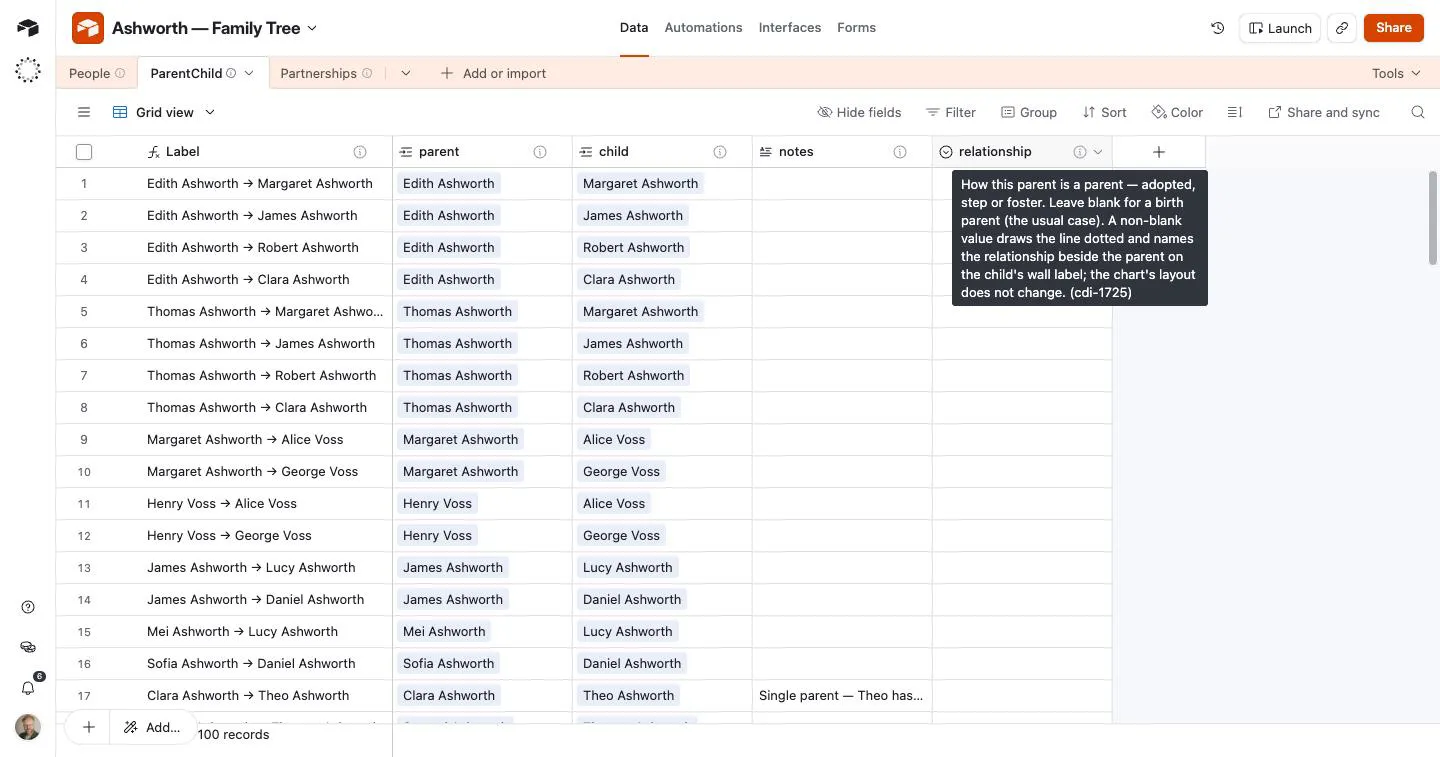
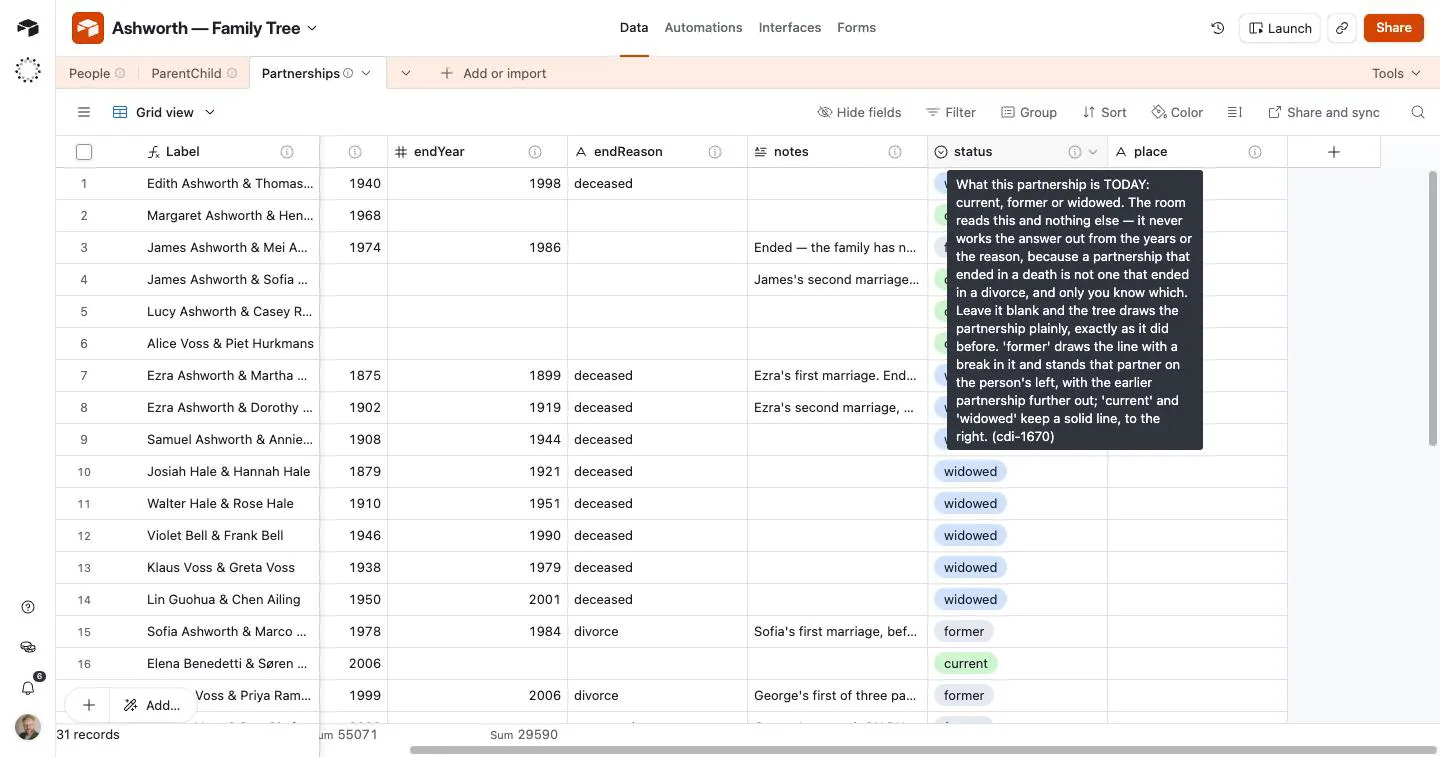
Two join tables. Each row links to People by record, so Airtable itself guarantees both ends exist — you pick a person from a list rather than typing an id, and a typo can no longer make a relative silently vanish.
- ParentChild — one row per parent→child link. A child with two parents
has two rows. Someone with no row here is a top of the tree. The optional
relationship(adopted · step · foster; blank = a birth parent) draws that line dotted and names the relationship beside the parent on the child’s wall label. Children stand in birth order on the map, eldest first. - Partnerships — one row per couple. The order of the two columns carries
no meaning. A remarriage is simply two rows; nothing special is needed.
startYear,endYear,endReasonandplace(the town of the wedding) are all optional, because a family often knows the couple but not the dates.statusis the one field the line is drawn from:current,formerorwidowed, as of today. The room reads this and nothing else — it never infers it from the years or the reason, because a partnership that ended in a death is not one that ended in a divorce, and only the curator knows which.formerdraws the line with a break and stands that partner on the person’s left, an earlier partnership further out;currentandwidowedkeep a solid line, to the right. Blank draws the partnership plainly.
Each join table’s first column is a Label that exists only because Airtable
demands a primary field and refuses to accept a record link as one. Set it to
a formula so the row reads as its two names:
IF({parent}, ARRAYJOIN({parent}) & " → " & ARRAYJOIN({child}), "—")- Create the People rows first — everyone, before any relationships.
- Add ParentChild rows, picking a parent and a child by name.
- Add Partnerships rows for couples, with whatever dates the family knows.
- Register the base in the config base’s Collections table (type
family-tree, statusactive), and add a Rooms row of typefamily-tree. See Setting up a room.
How it’s built
Section titled “How it’s built”The BFF reads the three tables and transforms them into the node/union shape the charting library wants, so the curated data stays normalised and the library stays swappable. That transform is a single pure function; the browser never sees the edge tables.
Airtable (per family) BFF Room People ──┐ ParentChild ──┼──▶ assembleFamilyTree() ──▶ family-chart nodes Partnerships ──┘ (pure, unit-tested) (client-only, d3)Reads are live from Airtable today, with a Neon served path in front of it for families that have been cut over — the same live-first shape the Cinema and Story Collections rooms were built in.
gender is a layout side, not a fact
Section titled “gender is a layout side, not a fact”The charting library reads gender for exactly one purpose: which side of a
couple a person stands on. Nothing is coloured or labelled by it — the room
draws its own square plates precisely so the library’s blue/rose default
never applies — and only the main person’s value is ever read.
That is why the field is an open vocabulary and why any value is safe: a non-binary or blank entry simply mirrors the couple, and same-sex couples lay out correctly. The person’s gender and the chart’s layout hint are different things and are deliberately not the same field.
Known gaps
Section titled “Known gaps”- A curator can assert something impossible — a person as their own parent, or a cycle — and nothing catches it today. A cycle would most likely hang the browser. Detecting these and telling the curator is planned; the storage deliberately does not try to prevent it.
- Content per person (films, photographs, letters) is CDI-1554.
- The
Labelformula above must be set by hand: the Airtable API cannot convert a text field to a formula.
Decisions behind the shape
Section titled “Decisions behind the shape”- Room-local, not the shared People store. An earlier note on this page said the tree would read the shared per-family People store the Photo and Story rooms feed. It does not, and the reason is worth knowing: those rows only ever appear via promotion from a gallery base, so that store holds exactly the people who show up in a photo or story — and a family tree holds the ones who don’t. Joining the two planes is the work that comes with content-per-person.
- Edge tables, not a
parentslist on the person. The relationships stay normalised so the charting library can be replaced without touching how a family curates. - Dates are text. See
born/diedabove — this is what lets a family write down what they actually know. - Home is resolved, not computed. Signed-in person → the family’s
startHere→ most descendants. The middle tier exists so that which person a family starts from is the family’s statement, not a line of code’s. The old fallback — the first row with no recorded parents — was Airtable row order once a family had more than one such person, which every family past about twenty people does. - The whole-family view is a scale moment, not a front door. It was never broken, only miscast: as a place to choose from it fails harder the bigger the family; as a way to feel the family’s size it works because the plates are illegible. So it stopped being the landing view and stopped drawing names.
- No minimap. An Ancestry-style movable magnifier was asked for and deliberately not built: it is a second synchronised viewport in a view already carrying a tree, a wall label and the exits, and its job — knowing where you are in the whole — mostly disappears once you never land in the whole. Search and relationships reach any person without it. Open to revisit after the genealogist conversation.