

Timeline
…films, audio stories, photographs, maps, timelines and family trees within a curated narrative structure.
The Timeline is the “time” in the museum’s founding list: the family’s history in date order. It keeps two things a family already knows and a generic timeline tool throws away. How each date is known, because a family’s dates are full of “about”, “spring” and “two sources disagree”. And the years in between, because a stretch where nothing was kept is part of the story, not a gap to close up.
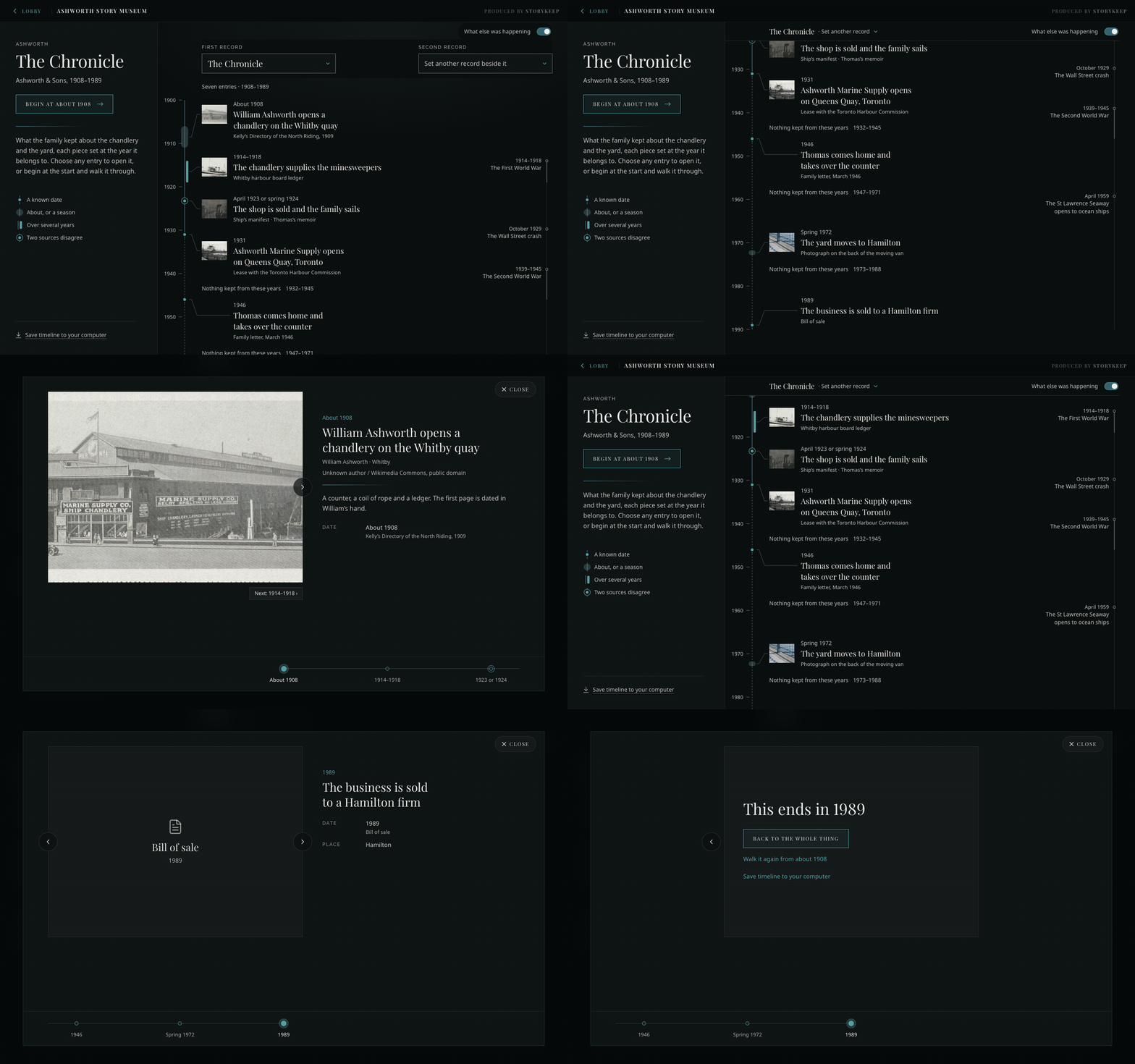
Years are drawn to scale. A decade takes the same height wherever it falls, so a busy spell looks busy and a quiet one looks quiet.
What a visitor does
Section titled “What a visitor does”The room opens on the family’s record: every entry at its year, its date written the way the family knows it, its title, and where the date comes from. Begin at about 1908 (the entry the family chose, or the earliest) starts a walk from the beginning; any entry can be opened on its own.
How a date is known
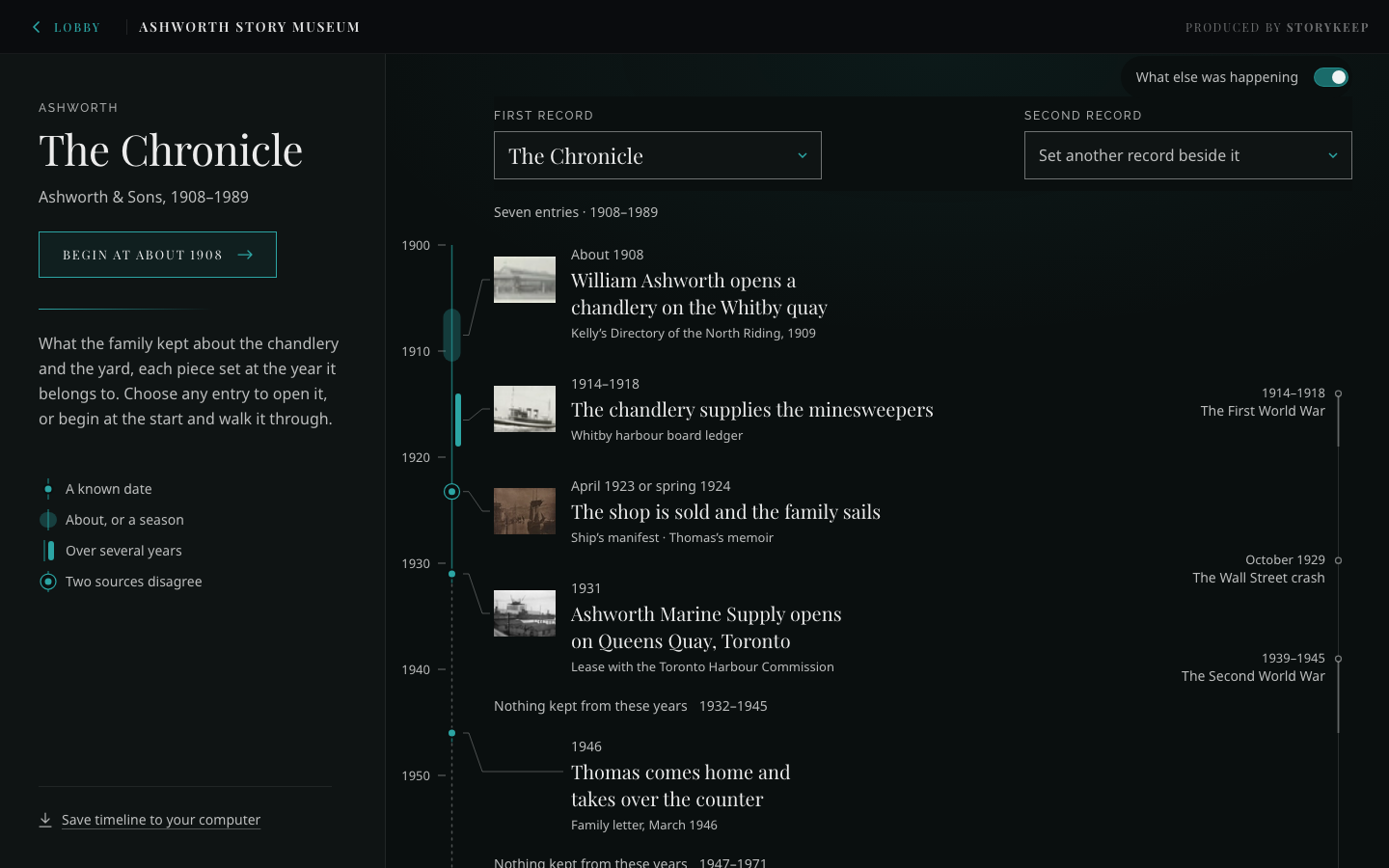
Section titled “How a date is known”The mark on the line says how sure the date is, and a key beside the room explains it:
| Mark | Means | Written in the base as |
|---|---|---|
| A dot | A known date | 1931, 1923-04 |
| A soft band | About, or a season | 1908~ (about), 1924-21 (spring) |
| A bar | Over several years | 1914/1918 |
| A ring around a dot | Two sources disagree | a second date beside the first |
When two sources disagree, both dates are shown side by side and neither is corrected: “April 1923 or spring 1924”.
Silences and busy spells
Section titled “Silences and busy spells”More than ten years with no entry is said in words: “Nothing kept from these years 1947–1971”, over a dashed line. Ashworth’s Chronicle has three such silences: 1932–1945, 1947–1971 and 1973–1988. With two records side by side, each names its own: “Nothing in The Chronicle from these years”. A room shows what a family does not have as plainly as what it does.
A crowded spell is drawn wider where it happens, rather than letting entries drift from their years, and it says so: “1908 to 1924, drawn wider”. Inside it, an entry without a photograph is shown as its title only.
What else was happening
Section titled “What else was happening”World events sit quietly in a lane at the right edge, so a family’s story can be read against the world’s. They come from two places:
- StoryKeep’s own short list: the First World War, the Wall Street crash (October 1929) and the Second World War. StoryKeep turns it on or off for each family, all of it or none.
- The family’s own events: rows in its Entries table with World Event ticked, shown either way. Ashworth adds “April 1959 · The St Lawrence Seaway opens to ocean ships”.
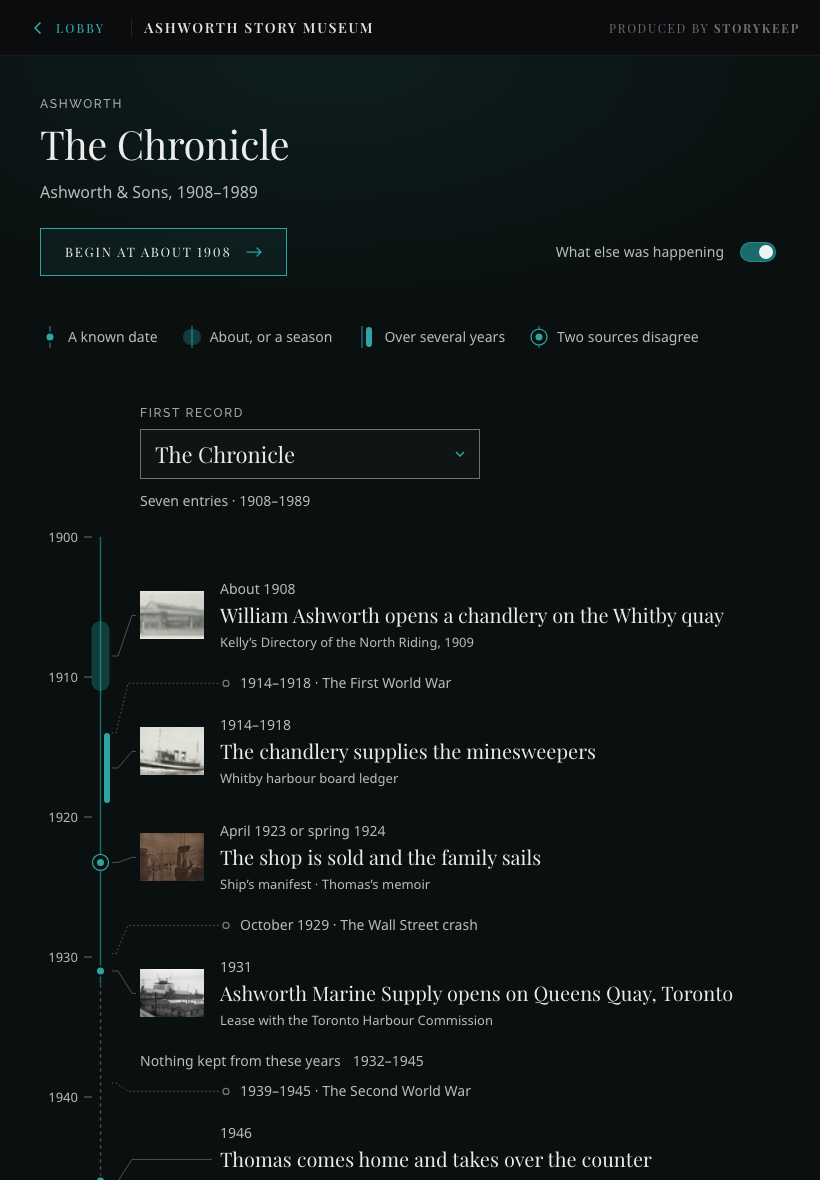
The What else was happening switch hides and shows them; it is on when the room opens, its words and its toggle are one control, and it stays in reach while scrolling. A room with no world events has neither the switch nor the lane. World events never open; they are context. Below 1024 pixels wide (a phone, an iPad held upright, or a narrow window on a computer) they are set in line with the entries instead.
Walking an entry
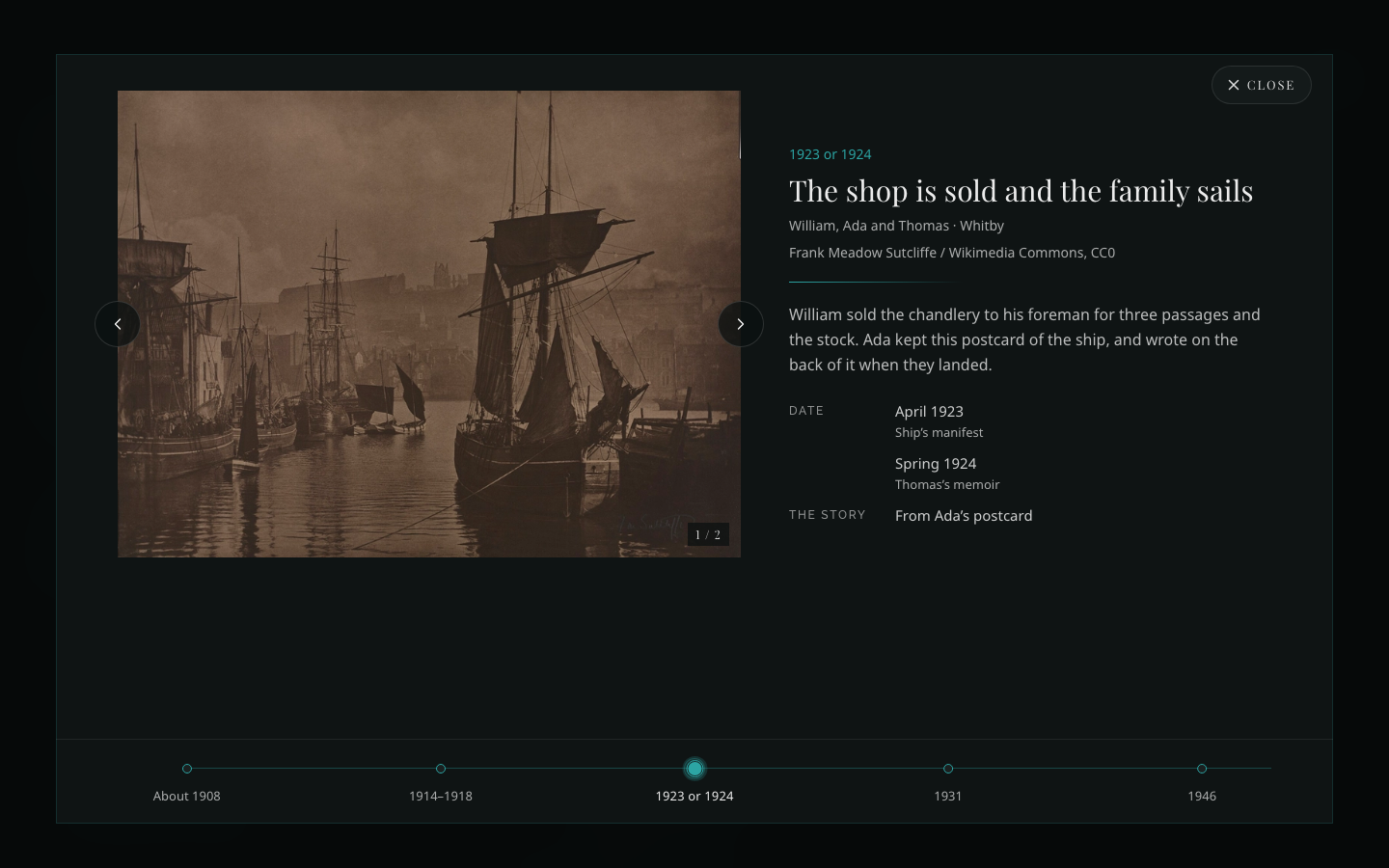
Section titled “Walking an entry”An entry opens in the photo viewer every room shares: its photographs, its story, and where both come from. From there the visitor walks the record entry by entry, with a strip of years along the bottom; an entry without a photograph opens on its source instead.
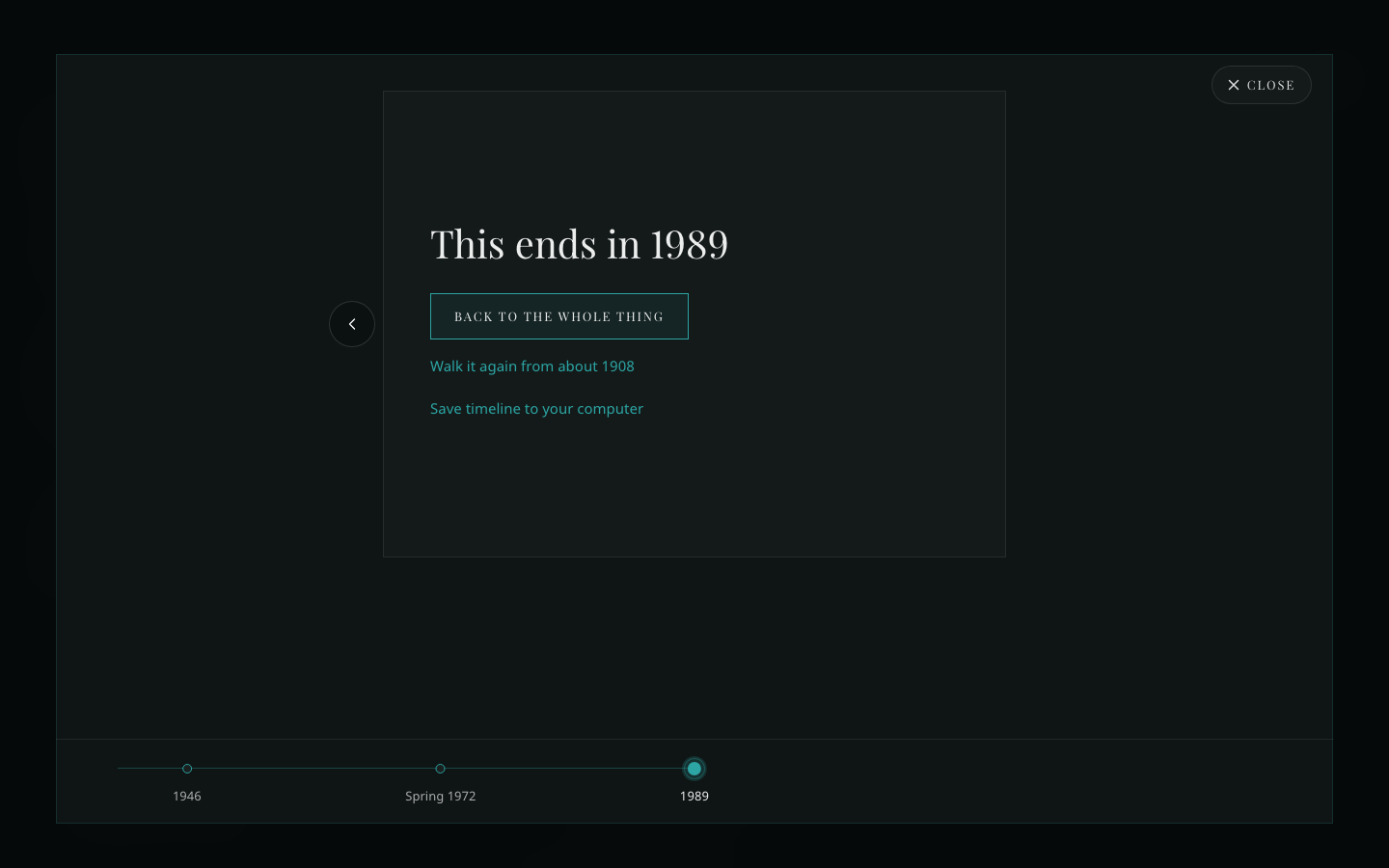
The walk ends on “This ends in 1989”, with Back to the whole thing, Walk it again from about 1908 and Save timeline to your computer.
Closing returns the visitor to the entry they were on, however far they
walked. The address bar names the entry on screen (?entry=…), so a link
opens the room on that entry.
Several records
Section titled “Several records”A room can hold more than one record: the Chronicle, and beside it a longer record the family kept in the yard. The room always opens on one, the first by the curator’s order.
On a computer, or an iPad held sideways, two lists sit at the top: First record and Second record. The second starts empty, reading Set another record beside it. Each record in a list shows its count, “The Chronicle · seven entries” or “The long record · seventy-nine entries”; in a curator’s list a hidden record adds “· hidden from visitors”. Choosing a record sets it beside the first on the same years; None takes it away again. Choosing the record the other side already shows swaps the two. Both lists stay in the same place whatever is chosen.
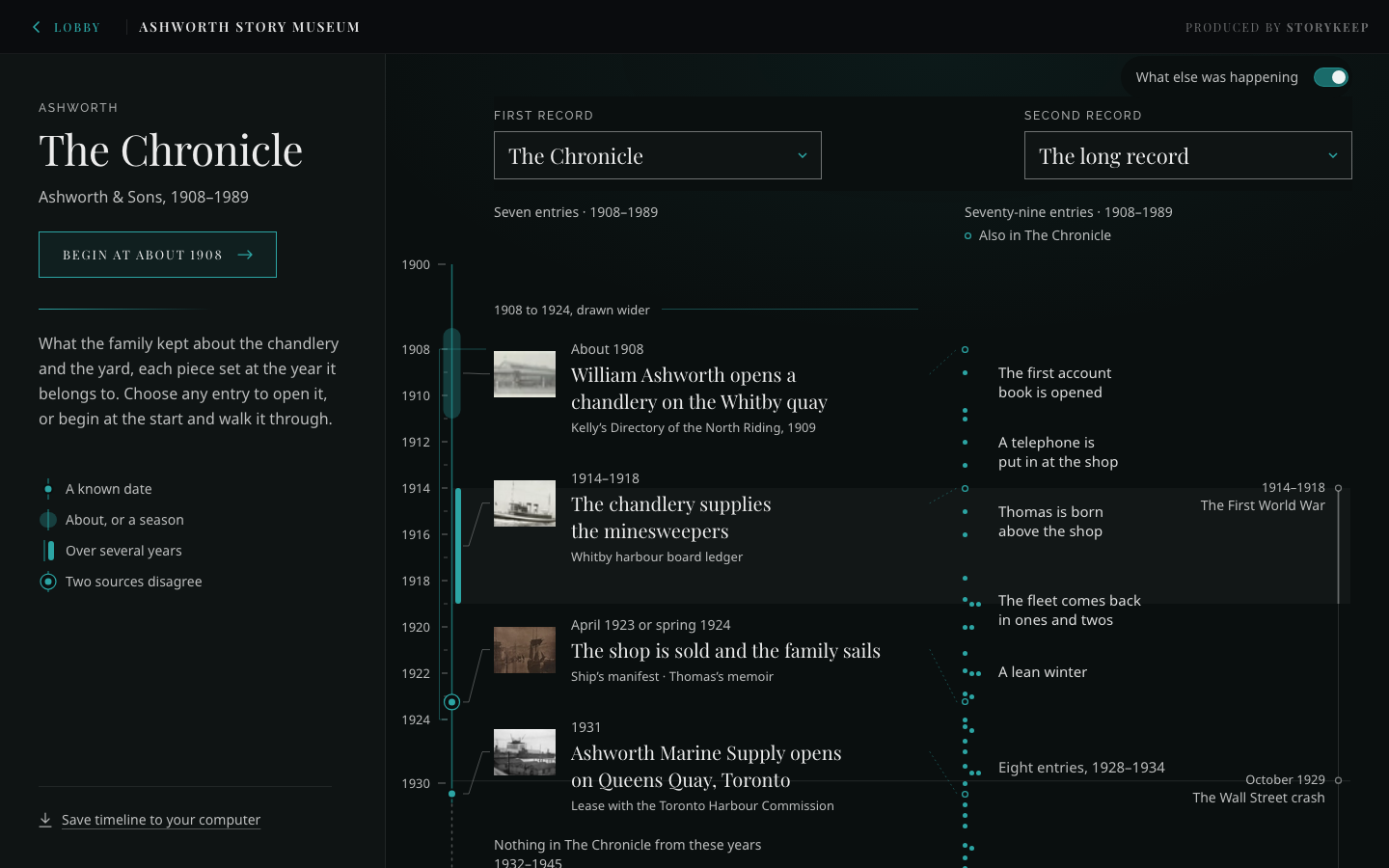
- A dense record beside a sparser one is drawn as marks, one per entry, named where there is room (“Eight entries, 1928–1934”). Entries both records tell alike are joined across the gap and marked “Also in The Chronicle”.
- Two records told in words sit side by side on a wide screen and one above the other on a narrower one.
- Reading down, the two lists fold into one line under the museum’s bar, “The Chronicle · The long record”, with the world switch at its end. A tap opens the lists again.
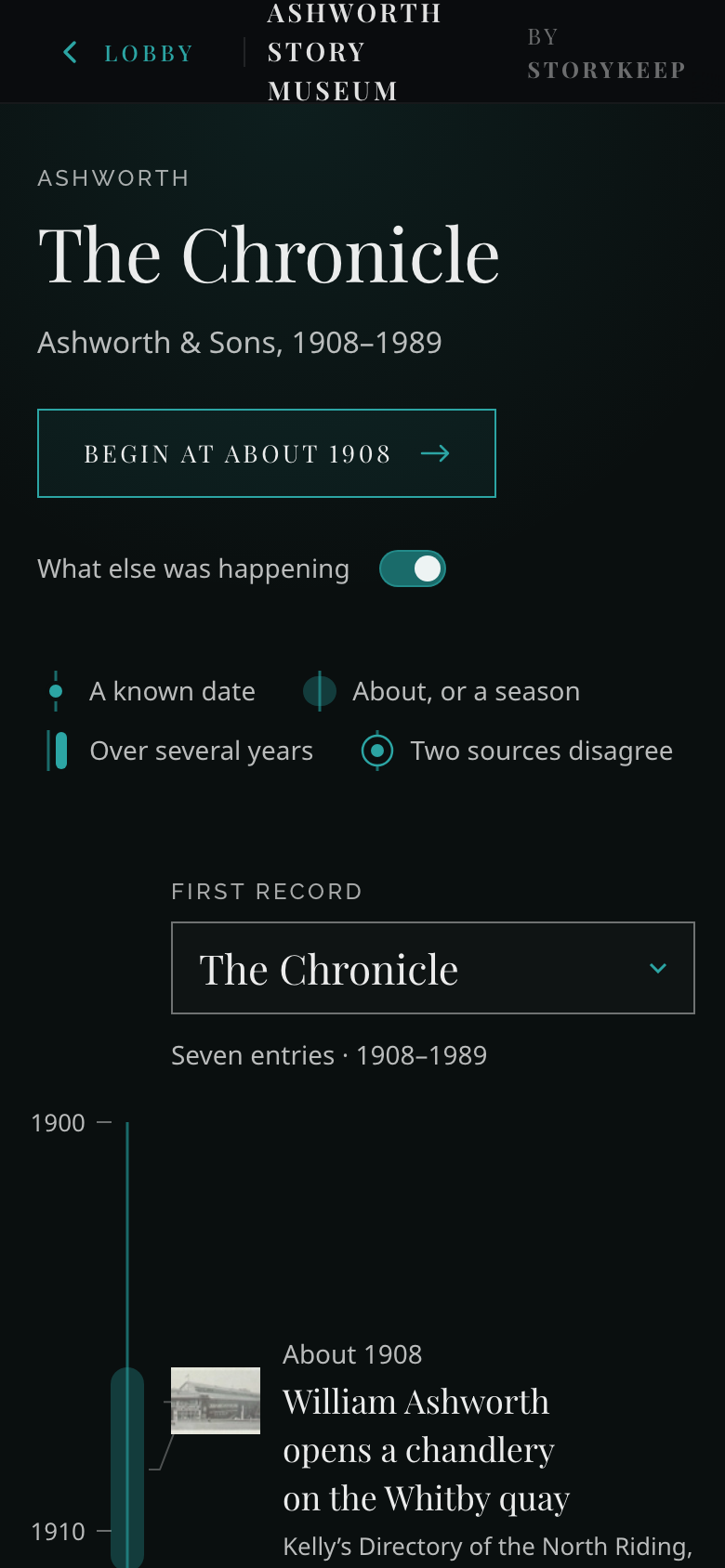
- Held upright, an iPad or a phone shows one record at a time. The second list is not shown; the first still changes which record it is. Turned sideways again, the pair comes back.
Saving the timeline
Section titled “Saving the timeline”Save timeline to your computer gives the whole room as a spreadsheet: every entry of every record, with its dates as kept and as read, their sources, the title, the place and the story’s source. With several records, each row says which record it is from. From a walk’s last page, the file holds that record alone.
How a curator builds it
Section titled “How a curator builds it”One room, one base. Three tables: Entries, Photographs, and, for a room with more than one record, Records. Every column carries its own description inside Airtable.
Entries
Section titled “Entries”One row per entry. The family’s own world events live in the same table.
| Field | Notes |
|---|---|
| Title | Primary. The entry as its row and the viewer read it, word for word. |
| Date | The date as the family knows it, in EDTF: 1931, 1923-04, 1908~ (about), 1924-21 (spring), 1914/1918 (a span), 192X (the 1920s). |
| Date Source | Where the date comes from: “Kelly’s Directory of the North Riding, 1909”. Every published entry names one. |
| Second Date / Second Date Source | Only when a second source disagrees. Both dates are shown; neither is corrected. |
| Subtitle | The line under the title in the viewer: “William, Ada and Thomas · Whitby”. |
| Place | Shown only when the subtitle does not already name it. |
| Story / Story Source | The entry’s story in the viewer, and where it comes from when that differs from the date’s source. |
| Photographs | The entry’s photographs, in order. |
| Start Here | Tick at most one: the entry the room offers to begin at. With none, the walk begins at the earliest. |
| World Event | Ticked, the row is a world event: drawn in the lane, never opened. |
| Status | draft or published. Visitors see published entries only. |
| Record | Which of the room’s records the entry belongs to. Leave it blank while the room keeps one record. |
Photographs
Section titled “Photographs”One image per row.
| Field | Notes |
|---|---|
| Caption | Primary, optional. What the photograph is, in the family’s words. It also names the row in the Needs attention list. |
| Image | One attachment. Required. |
| Photographer | The credit, in full. |
| Alt | Optional. Defaults to the entry’s title. |
| Entry | The link back to the entry. Airtable creates it when the entry’s Photographs field is filled. |
| Sort | Order within the entry. |
The sync copies each image to lasting storage; the Blob Image URL it fills in is never edited by hand.
Records
Section titled “Records”Only for a room that keeps more than one record.
| Field | Notes |
|---|---|
| Name | Primary. The record as a visitor reads it in the lists: “The Chronicle”. |
| Slug | Lower case and dashes, unique in the base. With two records on show, it names the file saved from the end of that record’s walk, so changing it renames that file; links to an entry keep working. |
| Visible | Ticked, visitors see the record. |
| Sort | Order in the lists; the room opens on the lowest. A blank Sort comes last. |
| Entries | The link back to the entries filed under the record. Airtable creates it; never edit it by hand. |
Needs attention
Section titled “Needs attention”A curator’s room carries a Needs attention list: every row it could not use, and why, in plain words. Visitors never see it, and neither does a curator once the family’s museum is live: there a curator sees exactly what visitors see. The list and hidden records show for curators in the sandbox, and before the family’s museum goes live.
- an entry that is draft or not published (“…so visitors do not see it”)
- an entry with no title, or no date (“…so it is left out”)
- a date the room cannot place (“…so it is listed after the axis”); the entry is still shown, under Kept without a readable date after the years
- an entry that does not say where its date comes from
- a photograph row with no image in it
- an entry that is not filed under any record, or belongs to a record that is not there
- a record with no name
- a room with no record ticked Visible, or a Records table with no records in it (“…so visitors see it as in preparation”)
- Fill Entries (and Photographs) in the room’s base, with a date
and a date source for every entry, and
publishedfor what visitors should see. - Add world events as rows with World Event ticked, if the family wants them.
- Register the base in the config base’s Collections table (type
timeline, statusactive), and add a Rooms row of typetimeline. See Setting up a room. - Sync: on the live museum a sync runs every six hours, or press the curator’s Sync button. Then open the room as a curator in the sandbox: the Needs attention list should be empty.
Adding a second record to a room
Section titled “Adding a second record to a room”A room starts with one record and needs no Records table. Adding one changes how the whole base is read, so it is done in one sitting:
- Start right after a sync has run, so the whole interval until the next one is yours.
- Create the Records table with Name, Slug, Visible and Sort (Airtable adds Entries itself), and add a row for each record, Visible ticked for each the family should see.
- Add the Record link on Entries and fill it for every entry. From the moment the table exists, an entry with no record is hidden from visitors, so a sync in between would show the room partly empty.
- Before the next sync, open the room as a curator in the sandbox. The Needs attention list must not say an entry is “not filed under any record”, and must not say “no record ticked Visible”.
- After the sync, check the room signed out: it opens on the first visible record, and the second list offers the other visible records.
To go back to a single record, delete the Records table itself, not just its rows.
How it’s built
Section titled “How it’s built”The room is read from the family’s base and drawn in the browser. What visitors see is copied into the museum itself by the sync, so a visit never waits on Airtable. A curator working in the sandbox, or on a museum that is not live yet, reads the base live, which is how hidden records and the Needs attention list reach only them. On a live museum a curator sees exactly what visitors see.
- The years are a true scale. Each entry is placed at its date and never drifts more than a few years from it. Where entries crowd, that stretch alone is drawn wider and named; a silence of more than ten years becomes a row of its own.
- Two records share one set of years, so an entry in one sits level with the same year in the other. Each keeps its own silences.
- One viewer serves every room. The Timeline hands it the walk; it adds nothing of its own.
- Several records live in one base, as rows of a Records table, not as a base per record. A family adds a record by adding a row.
Decisions behind the shape
Section titled “Decisions behind the shape”- A date is written the way the family knows it. Airtable has no “about” or “spring”, so dates are text in a standard form (EDTF), and the room draws the uncertainty instead of hiding it.
- Disagreement is shown, not settled. Two sources, two dates, side by side. The family decides which to trust, not the room.
- Silence is said. A long stretch with nothing kept is named in words, because a family’s history is also what it does not have.
- The room opens on one record (Casey, September 2026). A second is the visitor’s choice, not a wall of two records at the door.
- Upright, one record. An upright screen is too narrow for two records to read beside each other, so it shows one and lets the visitor choose which.
- A record is a row, not a base. It keeps a family’s records together, lets them share world events and a set of years, and never costs a new base.
- Hidden fails closed. Every rule that decides what a visitor sees hides by default: an unticked record, an unfiled entry, an emptied Records table.